Home Office Setup Checklist 2026: The Complete Beginner's Guide
You don't need a perfect office to start working well. This checklist tells you exactly what to buy, in what order, and how much to spend at each stage — from $0 to a fully equipped setup.
- A home office setup checklist covers four core categories: furniture, technology, internet, and ergonomics — in that priority order.
- 26% of all paid U.S. workdays are now performed remotely, according to Stanford's WFH Research (February 2026), making a proper setup a long-term investment, not a temporary fix.
- A functional starter setup costs under $150 using items you likely already own.
- The single highest-impact purchase for most beginners is a laptop stand, not a new chair.
- Budget in tiers — under $150, $150–$500, and $500+ — and buy in priority order rather than all at once.
- A setup is "done" when you can work a full day without pain, tech interruptions, or distraction — not when it looks a certain way.
Why This Checklist, Not Just Any List
You already have a laptop and a corner of a room where you sit down to work. What you're probably missing isn't more stuff — it's knowing which of the dozens of "essential" items actually matter, and in what order to buy them.
26% of all paid workdays in the U.S. are now performed remotely, according to Stanford's WFH Research group (Stanford/NBER, February 2026). Remote work isn't a temporary arrangement anymore — it's infrastructure, and your setup deserves to be treated the same way.
This checklist gives you exactly what to buy, in what order, and how much to spend at each stage — whether you're starting with $0 or ready to invest in a full setup.
What Is a Remote Work Checklist?
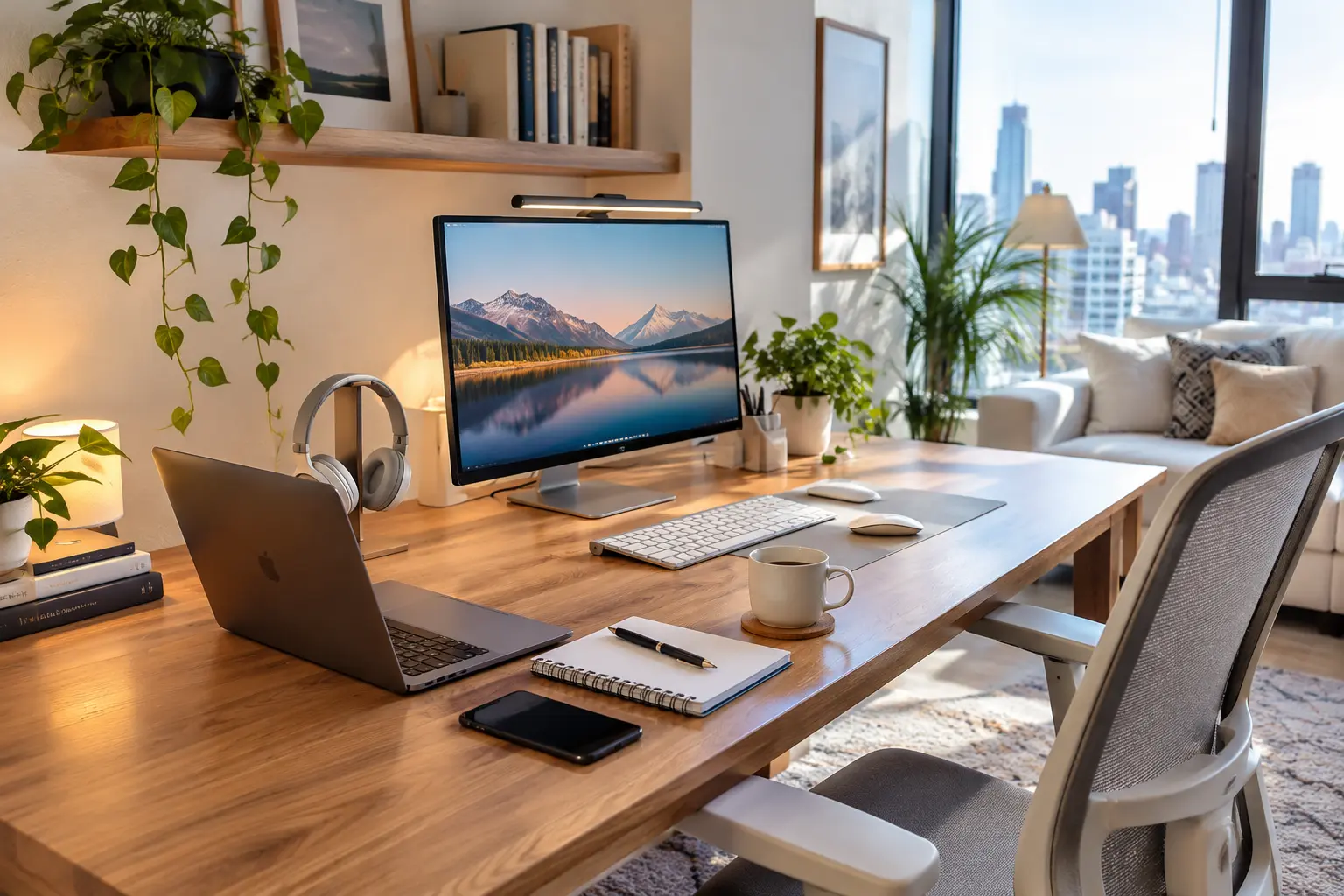
Direct Answer: A structured list of furniture, technology, and internet items, organized by priority rather than by category alone. A basic home office includes a dedicated work surface, a comfortable seat, a screen at eye level, and reliable internet. Everything beyond that — a second monitor, a standing desk, studio lighting — is an upgrade, not a requirement.
Why It Matters in 2026
| Stat | Detail |
|---|---|
| 26% | of all paid U.S. workdays performed remotely (Stanford/NBER, Feb 2026) |
| 23.4% | of U.S. employees — 37M+ people — work remotely at least part-time (BLS, Mar 2026) |
| 98% | of workers want to keep working remotely at least part-time (Buffer) |
Remote and hybrid work are permanent fixtures of the labor market now, not temporary arrangements. In our experience, the biggest mistake isn't buying the wrong chair — it's treating the whole project as temporary and therefore not worth doing properly. That mindset leads to years of working from a kitchen stool.
A good setup also protects your income: remote workers who experience daily discomfort, tech failures, or connectivity drops lose focus and, over time, lose clients.
The Absolute Must-Haves
Five items form a functional setup — everything else is an upgrade.
| Item | Zero-Cost Version |
|---|---|
| 🪑 Work Surface | A kitchen table counts to start |
| 🛋️ Supportive Chair | A rolled towel works as a lumbar fix |
| 🖥️ Eye-Level Screen | A stack of books under your laptop |
| 📶 Reliable Internet | Strong Wi-Fi at your desk, with a backup plan for outages |
| 💡 Enough Light | Natural light counts |
You do not need matching furniture or a dedicated room to check every box here — a kitchen table, a borrowed dining chair, and a stack of books satisfy the first three must-haves at zero cost.
For the full equipment breakdown and ergonomic reasoning behind each item, see our complete home office setup guide.
Furniture Checklist
- Desk or table — any stable flat surface qualifies to start
- Chair with lower back support — a rolled towel works as a temporary fix
- Laptop stand or monitor riser — books work until you can buy one
- Footrest, if your feet don't sit flat on the floor
- Storage — even one small drawer unit or shelf
Tech and Equipment Checklist
- Laptop or desktop computer
- External keyboard and mouse — reduces wrist strain versus a laptop keyboard alone
- External monitor — highest-impact tech upgrade for multitasking or design work
- Headphones or headset with a microphone
- Webcam, if your laptop's built-in camera is poor quality
- Surge protector / power strip
Budget Tiers
| Tier | Cost | What's Included |
|---|---|---|
| Starter | Under $150 | Existing table and chair, books as a monitor riser, $20 keyboard/mouse, rolled towel for lumbar support |
| Comfort | $150–$500 | Laptop stand ($30–$50), basic monitor ($100–$150), lumbar cushion or better chair ($75–$150), desk lamp ($25–$40) |
| Full Setup | $500+ | Ergonomic chair ($200–$400), second monitor or ultrawide ($200–$400), proper desk with cable management ($150–$300), backup internet device |
Spend in that order — don't skip tiers. For secondhand-shopping strategy and a deeper cost breakdown, see our home office setup on a budget guide.
Internet: What "Reliable" Actually Means
A reliable setup needs a wired or strong Wi-Fi connection at your desk, a router positioned for minimal interference, and — if your income depends on being online — a backup connection for outages.
Common Mistakes
- Fixing the chair before the screen height. A screen that's too low causes more strain than almost any chair issue — and costs nothing to fix with a stack of books.
- Buying for aesthetics first. A beautiful desk with a poorly positioned screen still causes neck pain.
- Trying to do it all in one weekend. Building the setup in tiers, over weeks, produces better decisions than one large rushed purchase.
The Priority Purchase Order
What Experts Recommend
- Set a recurring 45-minute timer to stand and stretch.
- Position your monitor perpendicular to windows, not facing them, to avoid glare.
- Test your internet backup plan before you need it.
- Reassess your setup every 90 days as your work and budget change.
- Prioritize one upgrade at a time rather than a full overhaul.
For the full lighting and desk-positioning breakdown, see our best lighting for home office guide.
The Complete Printable Checklist
Check items off as you go, tier by tier — or print this section and keep it next to your desk.
🖨️ The Complete Printable Checklist
Print this page or check items off as you go, tier by tier.
Must-Haves (Do These First)
Starter Tier — Under $150
Comfort Tier — $150–$500
Full Setup Tier — $500+
Tech & Connectivity
Ongoing Habits
Frequently Asked Questions
Start With the Starter Tier
Start with the Starter Tier this week, then move up a tier as your budget allows. Bookmark this page and revisit it every 90 days as your setup grows.
Add a Comment