
Ultimate Guide to
Remote Work Setup
Work Smarter,
Stay Comfortable,
and Build a Space
That Fits Your Life.
Working from home is not just a trend — it is how millions of people now earn a living. But doing it well takes more than a laptop and a kitchen chair. This website gives you everything you need to build a remote work setup that is comfortable, productive, and built around your life — whether you are a first-time freelancer or a seasoned remote professional in the USA.

WHAT IS A REMOTE WORK SETUP?
A remote work setup is the combination of tools, furniture, and technology that lets you do your job from anywhere outside a traditional office. It covers everything from your desk and chair to your internet connection and the apps your team uses to stay in touch.
A solid setup does not need to be expensive. It just needs to be right for you. Here is what a complete remote work setup usually includes:
- Desk
- Ergonomic Chair
- Laptop or computer
- Proper Lighting
- High-speed internet
- Collaboration tools
- External Monitor
When these pieces come together well, your focus sharpens, your body stays comfortable, and your work-life balance actually becomes real.

TYPE OF REMOTE WORK SETUP
Not everyone works the same way — and not every setup should look the same. Find the style that matches how and where you work best.
Mobile / Digital Nomad Setup
Built for people who move around. A lightweight laptop, a compact keyboard and mouse, noise-canceling headphones, and a portable hotspot give you everything you need — at home, in a café, or on the other side of the world.
- Work from any location, any time
- Ideal for freelancers and digital nomads
- Lightweight and quick to pack up
- Designed for flexible, location-free work
Home Office Setup
A permanent, dedicated workspace inside your home. When set up properly, it gives you the focus of an office with the comfort of being at home. Clean desk, good chair, reliable internet — that is the foundation.
- Quiet, distraction-free space just for work
- Separates your work life from your home life
- Supports long, focused work sessions
- Fully personalized to how you work best
Hybrid Work Setup
Designed for people who split their week between home and an office. Portability is key — a setup that packs up quickly and works well in both locations.
Minimalist Setup
A clean desk with only what you need. No clutter, no distractions — just the essentials. Perfect for small spaces and focused work.
Ergonomic Professional Setup
Health-first design. Adjustable chair, correct desk height, monitor at eye level — built to protect your body during long daily sessions.
Creative Studio Setup
Built for designers, editors, and content creators. Dual monitors, professional lighting, drawing tablets — a workspace that keeps up with creative demands.
THE 6 FOUNDATIONS of A REMOTE WORK SETUP
Every productive remote worker — no matter their job — relies on the same six building blocks. Get these right and everything else becomes easier.
01
Essential Tech Equipment
Your core devices: a reliable laptop or computer, a fast internet connection, and noise-canceling headphones for focused work and clear calls.
02
Remote Team Tools
The apps that keep your team connected: Zoom for video calls, Slack for daily communication, and Wrike for managing projects and tasks.
03
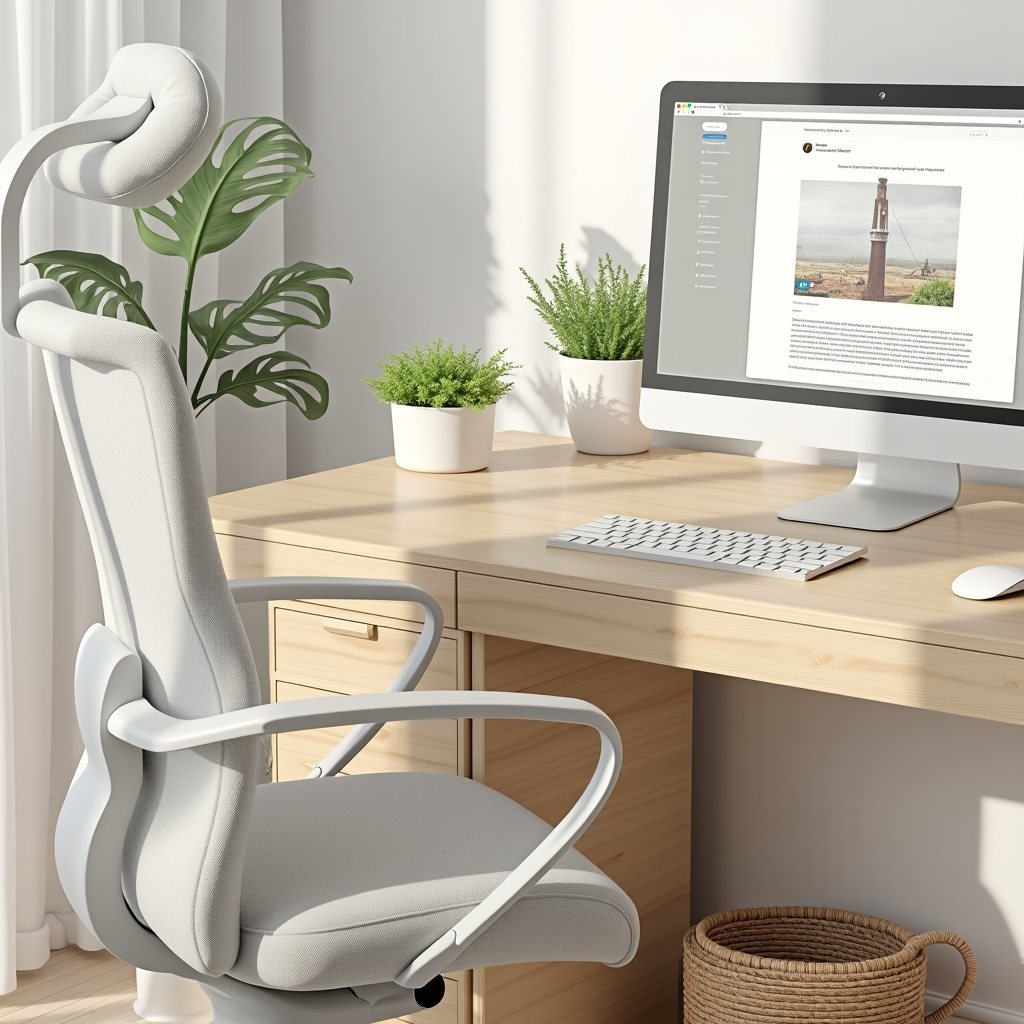
Ergonomic Workstation
A proper desk, a supportive chair, good lighting, and an external monitor positioned correctly to protect your posture and reduce strain.
04
Workspace Surroundings
A clean, organized environment with small personal touches — a plant, your favorite mug, a photo — that make the space feel like yours.
05
Remote Work Security
Strong passwords, a secured Wi-Fi connection, a reliable VPN, and up-to-date software to keep your data and your clients safe.
06
Remote Work Health
Regular breaks, proper posture, eye protection, and daily movement — because how you feel directly affects how well you work.
REMOTE WORK BUDGET-FRIENDLY SETUP
You do not need to spend a fortune to work well from home. Here are three proven setups at different price points — so you can start right now, at whatever budget you have.
Without Laptop
Virtual work setup—under $300
1. Desk – Basic desk (simple, sturdy) — $50
2. Chair – Budget office chair — $70
3. Keyboard & Mouse – Combo set — $30
4. Monitor (used or small) – 19″–22″ basic — $80
5. Accessories – Lamp, cable organizer, mouse pad — $30
6. Web Camera (optional budget) – Basic 720p — $40
🔹 Total ~ $300
Without Laptop
Virtual work setup—under $500
1. Desk – Strong and spacious desk — $100
2. Ergonomic Chair – Comfortable chair with back support — $120
3. Keyboard & Mouse – Wireless combo set — $50
4. Monitor (24″ Full HD) – Clear display for multitasking — $150
5. Accessories – Cable organizer, mouse pad, laptop stand — $40
6. Lighting – LED desk lamp — $40
 Total ~ $500
With Laptop
Virtual work setup—under $700
1. Laptop – Budget reliable laptop — $350
2. Desk – Simple and sturdy desk — $100
3. Ergonomic Chair – Comfortable with back support — $120
4. Keyboard & Mouse – Wireless combo set — $50
5. Lighting – LED desk lamp — $30
6.Accessories – Mouse pad, cable organizer, and stand — $50
🔹 Total ~ $700
Start Building Your REMOTE WORK SETUP TODAY
Whether you want a clean minimalist desk, a fully ergonomic workstation, or a simple budget setup — you are in the right place. Browse our guides, explore real examples, and build a workspace that genuinely works for you.
Latest Blog & News
Catch the latest updates and articles here. From helpful tips to working at home, our blog keeps you informed and inspired.
10 Remote Work Health Tips to Stay Fit and Focused in 2026
Working from home offers incredible flexibility — but it also comes with some serious health…
How to Set Up a Home Office on a Budget (Under $500)
You do not need to spend thousands of dollars to build a productive home office…
10 Best Remote Work Tools in 2026 (Free & Paid)
10 Best Remote Work Tools in 2026 (Free & Paid) Working remotely has become the…