Home office setup

Home› Blog› Home Office Setup Checklist ✅ Checklist Guide Home Office Setup Checklist 2026: The Complete Beginner’s Guide You don’t need a perfect office to start working well. This checklist tells you exactly what to buy, in what order, and how much to spend at each stage — from $0 to a fully equipped setup. 📅 Updated 2026 ⏱ 12 min read 📖 Remote Workers · Freelancers · WFH Beginners ⚡ Key Takeaways A home office setup checklist covers four core categories: furniture, technology, internet, and ergonomics — in that priority order. 26% of all paid U.S. workdays are now performed remotely, according to Stanford’s WFH Research (February 2026), making a proper setup a long-term investment, not a temporary fix. A functional starter setup costs under $150 using items you likely already own. The single highest-impact purchase for most beginners is a laptop stand, not a new chair. Budget in tiers — under $150, $150–$500, and $500+ — and buy in priority order rather than all at once. A setup is “done” when you can work a full day without pain, tech interruptions, or distraction — not when it looks a certain way. Why This Checklist, Not Just Any List You already have a laptop and a corner of a room where you sit down to work. What you’re probably missing isn’t more stuff — it’s knowing which of the dozens of “essential” items actually matter, and in what order to buy them. 26% of all paid workdays in the U.S. are now performed remotely, according to Stanford’s WFH Research group (Stanford/NBER, February 2026). Remote work isn’t a temporary arrangement anymore — it’s infrastructure, and your setup deserves to be treated the same way. This checklist gives you exactly what to buy, in what order, and how much to spend at each stage — whether you’re starting with $0 or ready to invest in a full setup. You don’t need a perfect setup to start. You need the basics working reliably — everything else improves over time. What Is a Remote Work Checklist? Direct Answer: A structured list of furniture, technology, and internet items, organized by priority rather than by category alone. A basic home office includes a dedicated work surface, a comfortable seat, a screen at eye level, and reliable internet. Everything beyond that — a second monitor, a standing desk, studio lighting — is an upgrade, not a requirement. Why It Matters in 2026 Stat Detail 26% of all paid U.S. workdays performed remotely (Stanford/NBER, Feb 2026) 23.4% of U.S. employees — 37M+ people — work remotely at least part-time (BLS, Mar 2026) 98% of workers want to keep working remotely at least part-time (Buffer) Remote and hybrid work are permanent fixtures of the labor market now, not temporary arrangements. In our experience, the biggest mistake isn’t buying the wrong chair — it’s treating the whole project as temporary and therefore not worth doing properly. That mindset leads to years of working from a kitchen stool. A good setup also protects your income: remote workers who experience daily discomfort, tech failures, or connectivity drops lose focus and, over time, lose clients. The Absolute Must-Haves Five items form a functional setup — everything else is an upgrade. Item Zero-Cost Version 🪑 Work Surface A kitchen table counts to start 🛋️ Supportive Chair A rolled towel works as a lumbar fix 🖥️ Eye-Level Screen A stack of books under your laptop 📶 Reliable Internet Strong Wi-Fi at your desk, with a backup plan for outages 💡 Enough Light Natural light counts You do not need matching furniture or a dedicated room to check every box here — a kitchen table, a borrowed dining chair, and a stack of books satisfy the first three must-haves at zero cost. For the full equipment breakdown and ergonomic reasoning behind each item, see our complete home office setup guide. Furniture Checklist Desk or table — any stable flat surface qualifies to start Chair with lower back support — a rolled towel works as a temporary fix Laptop stand or monitor riser — books work until you can buy one Footrest, if your feet don’t sit flat on the floor Storage — even one small drawer unit or shelf 💡 Small-Space TipIf you rent a small space or work from a bedroom, prioritize a compact desk with cable management built in. Tech and Equipment Checklist Laptop or desktop computer External keyboard and mouse — reduces wrist strain versus a laptop keyboard alone External monitor — highest-impact tech upgrade for multitasking or design work Headphones or headset with a microphone Webcam, if your laptop’s built-in camera is poor quality Surge protector / power strip Budget Tiers Tier Cost What’s Included Starter Under $150 Existing table and chair, books as a monitor riser, $20 keyboard/mouse, rolled towel for lumbar support Comfort $150–$500 Laptop stand ($30–$50), basic monitor ($100–$150), lumbar cushion or better chair ($75–$150), desk lamp ($25–$40) Full Setup $500+ Ergonomic chair ($200–$400), second monitor or ultrawide ($200–$400), proper desk with cable management ($150–$300), backup internet device Spend in that order — don’t skip tiers. For secondhand-shopping strategy and a deeper cost breakdown, see our home office setup on a budget guide. Internet: What “Reliable” Actually Means A reliable setup needs a wired or strong Wi-Fi connection at your desk, a router positioned for minimal interference, and — if your income depends on being online — a backup connection for outages. ⚠️ Don’t Skip ThisInternet reliability rarely makes generic checklists, but it belongs near the top. A single missed client call from a dropped connection can cost more than a year of backup internet would. See our best router for working from home guide and best mobile hotspots guide for backup options. Common Mistakes Fixing the chair before the screen height. A screen that’s too low causes more strain than almost any chair issue — and costs nothing to fix with a stack of books. Buying for aesthetics first. A beautiful desk with a poorly positioned …

Home Office Setup Checklist: The Complete Beginner’s Guide (2026) Read Post »

Budget-Friendly Setup

⏱ Quick Setup Guide Easy Home Office Setupin Under 1 Hour You don’t need a whole weekend, expensive furniture, or perfect planning. If you want to start working today, you can set up a proper working space in just 60 minutes using things you already have at home. 📅 June 20, 2026 ⏱ 10 min read 📖 Beginners · First-Time Remote Workers · Quick Setup ⚡ Key Takeaways You do not need a big budget or special furniture to have a proper home office. A cleared table, a laptop stand (even books), and good lighting is enough to start working comfortably today. The goal of this 1-hour setup is not perfection — it is a fixed, comfortable place where you can work without pain and without distractions. Everything else can come later. The most important things to get right in the first hour: screen at eye level, keyboard at elbow height, and enough light to see your work clearly. Working from bed or a sofa is the single biggest habit to break. Even a basic kitchen table with a chair is significantly better for focus, posture, and sleep quality. Each step in this guide has a time target. If you follow them in order, your home office will be ready in 60 minutes or less. This Is Not About a Perfect Office Before starting, just understand one thing clearly. In 1 hour, your setup will not look like a Pinterest office. That is not the goal. 📍You have a fixed place to work — not bed or sofa 👁️Your screen is at eye level so your neck doesn’t hurt 🤲You can type without pain in your hands or wrists 🔦You have enough light so your eyes don’t strain If these four things are done, your basic home office is ready. Everything else — better furniture, decoration, an extra monitor — can come later, step by step, when you have time and budget. The best home office you can build today is the one you can finish today. Start simple. Improve slowly. Your 60-Minute Plan at a Glance ⏱ ~60 Minutes Total — Seven Steps 0–10 minPick and Clear Your SpotFind any table or flat surface and remove everything that isn’t needed 10–20 minSolve the Screen Height ProblemStack books or boxes under your laptop, or use an external monitor, to reach eye level 20–30 minSet Up Your Input DevicesConnect keyboard and mouse if you have them — keyboard centered, mouse to the side 30–40 minSort Out Your SeatingUse any chair at home — feet flat on the ground, back supported, not leaning too far either way 40–50 minFix Your LightingPosition your light source to reduce glare on screen and eye strain 50–58 minTidy Cables and Clear the SurfaceBundle cords, remove clutter, keep only what you need in arm’s reach 58–62 minSit Down and Do a Final TestDo a comfort check and make small adjustments before starting work 0–10 min Step 1: Pick and Clear Your Spot First step is very simple. Don’t overthink it. Look around your home and pick any place where you can sit and work peacefully. It can be: Option AA corner of your bedroom with a table or desk Option BThe kitchen or dining table — away from household traffic if possible Option CA shelf or empty counter at a comfortable height Option DAny flat surface where you can sit in a chair for several hours Now clear that space completely. Remove everything that is not needed for work. Keep only the things you need today. Don’t try to organize perfectly or deep-clean. Just make the surface empty and usable. ✓ Do Pick the quietest spot you can find Clear the surface completely in one sweep Put removed items anywhere nearby for now Move on quickly — don’t organize yet ✗ Don’t Spend time finding the “perfect” spot Start cleaning and organizing deeply Use your bed, sofa, or floor Wait until tomorrow when you have “more time” ⏱ Time CheckBy 10 minutes, your working spot should be completely clear and empty. That is all this step requires. 10–20 min Step 2: Solve the Screen Height Problem Now focus on your screen. If you are using a laptop, this is a very important step. Take some books, boxes, or anything strong and stable and place them under your laptop. Adjust it in a way that when you sit straight, the top part of your screen is at your eye level. If you have an external monitor, then use that instead and try to place it at eye level. The idea is simple: your neck should not bend down all the time while working. When the screen is too low, you slowly bend your head forward all day — and over weeks, this causes neck pain and shoulder tension. FreeStack of books — 3 to 5 thick books usually brings a laptop to the right height. Sit naturally and look straight ahead — that is where the top of your screen should land. FreeA sturdy box — any stable, flat box or container that won’t tip works just as well as a proper stand. External MonitorIf you already have an external monitor, use that instead of the laptop screen and place it at eye level using the same approach. Don’t worry about a perfect setup. Just make it stable and comfortable for today. You can fine-tune the height later. ⚠️ What Happens NextOnce your screen is raised, the laptop keyboard will feel too high to type on comfortably. That is completely normal — Step 3 fixes this right away. ⏱ Time CheckBy 20 minutes, your screen should be at eye level. 20–30 min Step 3: Set Up Your Input Devices Now check your keyboard and mouse. If you already have an external keyboard and mouse, connect them and place them properly in front of you. Keep the keyboard in the center and the mouse on the side so your hands feel natural while working. If you don’t have …

Easy Home Office Setup in Under 1 Hour Read Post »

Home office setup

Remote work burnout is at record levels in 2026. Learn the warning signs, root causes, and prevention strategies that protect your health and career long-term. Home› Blog› How to Avoid Burnout Working From Home Wellbeing · Remote Work Life How to Avoid Burnout WorkingFrom Home in 2026 86% of full-time remote employees report burnout. Here’s what it actually looks like, why it builds so quietly at home, and the seven strategies that prevent it. 📅 2026 ⏱ 15 min read 📖 Remote Workers · Freelancers · Managers ⚡ Key Takeaways 86% of full-time remote employees report burnout — a higher rate than in-office workers — making burnout prevention the most important skill for remote professionals in 2026. Remote work burnout is different from regular job stress. It builds slowly and invisibly, often mistaken for laziness or low motivation until it becomes serious. The three core causes of WFH burnout are: no clear boundary between work and home, isolation from colleagues, and the inability to “leave” the office at the end of the day. Remote employees work 10% longer than their office counterparts — about 4 hours more per week — making overwork the single biggest driver of burnout at home. Practical prevention works. A consistent daily schedule, a shutdown ritual, physical separation of your workspace, and regular social contact are the four habits that reduce burnout most reliably. Gen Z struggles the most to disconnect from work, with nearly 1 in 5 saying they simply cannot detach after hours — if you are under 30 and working remotely, this guide is especially important. Burnout is recoverable. Catching the early signs — persistent fatigue, cynicism, reduced output — gives you time to act before it becomes a health crisis. Introduction Working from home was supposed to be the dream. No commute. No open-plan office noise. More time with your family. And for many people, it is genuinely better than the alternative. But there is a catch no one warns you about. When your bedroom is 12 steps from your desk, the office never really closes. There is no train to catch. No physical door to walk out of. No clear signal that the workday is over. And slowly, without noticing, you start working more hours, taking fewer breaks, skipping lunches, and answering messages at 10pm. That is how remote work burnout starts. Not with a dramatic breakdown — but with a quiet, creeping exhaustion that feels like you are just “a little tired” for weeks on end. According to recent findings, 86% of full-time employees who work fully remote report burnout — higher than the in-office burnout rate. Yet most remote workers do not see it coming until it has already affected their health, their work quality, and their relationships. In this guide, you will learn exactly what remote work burnout looks and feels like, what causes it, and the specific habits and strategies that prevent it — based on 2026 data and real-world patterns we see across our remote work community. What Is Remote Work Burnout? Remote work burnout is a state of chronic physical, mental, and emotional exhaustion caused by prolonged overwork, isolation, and the blurring of boundaries between professional and personal life in a home environment. It is not the same as having a bad week. It is a sustained condition that builds over weeks or months — and it does not go away on its own. The World Health Organization classifies burnout as an occupational phenomenon characterized by three dimensions: feelings of energy depletion or exhaustion, increased mental distance from one’s job (cynicism), and reduced professional effectiveness. In a remote work context, all three are amplified by the absence of the physical and social structure that an office naturally provides. Remote work burnout is distinct from office burnout in one critical way: the environment that exhausts you is also the environment where you are supposed to rest. Your home is both the problem and the recovery space — and that makes it much harder to heal. Direct Answer What is remote work burnout? A state of chronic exhaustion caused by overwork, isolation, and the inability to separate professional and personal life when working from home. In 2026, 86% of full-time remote workers report burnout — higher than office rates — because there is no physical boundary, no commute, and no natural end to the workday. Early signs include persistent fatigue, cynicism, and declining output. Why Remote Work Burnout Is Worse in 2026 Than You Think Remote work burnout is not a personal failure or a sign you are not cut out for working from home. It is a structural problem built into how most people have set up their remote work lives — and the data makes that clear. More than half of U.S. employees — 55% — are currently experiencing burnout, with fully remote workers reporting the highest rates at 61%. That is not a minority experience. It is the majority. 86%of full-time remote employees report burnout +4 hrsworked per week vs. office counterparts (Monster) 49%report burnout specifically from excessive video calls Research by Monster found that remote employees work 10% longer than their office counterparts, approximately 4 hours more per week. On a monthly basis, that adds up to 16 extra hours. That is two full additional workdays every single month — unpaid and often unacknowledged. Video fatigue is also a real and documented phenomenon: 49% of remote workers report experiencing tiredness or burnout specifically from excessive video meetings. The paradox of remote work is this: it gives you flexibility, and then fills that flexibility with more work. Without strong boundaries and deliberate prevention habits, the home office expands until it consumes everything around it. The 10 Warning Signs of Remote Work Burnout The early warning signs of burnout when working from home are often subtle — easy to dismiss as tiredness, motivation slumps, or just “a rough patch.” Most people miss the window where prevention is easiest because they do not recognize what …

How to Avoid Burnout When Working From Home in 2026: Signs, Causes, and Prevention Read Post »

Home office setup

When you worked in an office, the commute handled your mental transition from home to work. Remote work removes that entirely. Here is how to replace it — with a practical morning routine designed specifically for remote work, not a generic self-improvement protocol. Productivity · Morning Habits The Best Morning Routine for Remote Workers in 2026:Start Every Workday With Intention When you worked in an office, the commute handled your mental transition from home to work. Remote work removes that entirely. Here is how to replace it — with a practical morning routine designed specifically for remote work, not a generic self-improvement protocol. 📅 June 15, 2026 ⏱ 15 min read 📖 Remote Workers · Freelancers · Full-Time WFH ⚡ Key Takeaways Creating a morning ritual when working from home gives your brain the same signal a commute once provided: it is time to be productive and work. Without this signal, the workday drifts — starting vaguely and gaining focus slowly. How you start your morning sets the tone for your entire day. Your brain learns to associate the sequence of pre-work habits with “work mode” — and over time, the routine itself becomes the activation trigger, not willpower. UC Irvine research shows that each distraction requires 23 minutes of recovery time — a morning routine that protects the first 60–90 minutes from reactive tasks is the single most impactful productivity structure available to remote workers. Just 150 minutes per week of moderate aerobic exercise can greatly improve sleep patterns and mood — both instrumental for a productive workday. A brief movement component in the morning routine is one of the most research-supported productivity investments. The morning routine is not about packing more into each day. It is about starting each day with intention so that the first decisions you make are yours — not other people’s requests arriving in your inbox. If you dread your morning routine, it will not last. Design it around habits you genuinely find energizing — the content matters less than the consistency. The Commute Was Annoying — But It Did Something Important When you worked in an office, your morning routine was largely automatic. You woke up, got dressed, commuted, arrived, and work began — with the physical transition handling most of the psychological shift from “home mode” to “work mode.” You did not have to decide to start working. The environment made that decision for you. Remote work removes the environment. The commute was annoying, but it served a purpose: transition time between home and work mindsets. Without it, the morning has no natural structure — which means the first hour of a remote workday often disappears into a vague mix of coffee, scrolling, checking email before you are mentally ready to process it, and a gradual drift toward a work state that never quite feels fully switched on. A deliberate morning routine replaces what the commute and office building previously provided. It is the structure that makes the rest of the day possible — protecting focus time, signaling readiness to start, and ensuring the first decisions of the day are intentional rather than reactive. Why Remote Workers Need a Morning Routine More Than Office Workers Do For office workers, the environment provides structure automatically. The commute, the office building, colleagues arriving, the implicit expectation of “being at work” — all of these combine to impose a morning structure without conscious effort. For remote workers, this transition is your responsibility to create rather than your environment’s responsibility to provide. Without it, three specific problems emerge consistently: ⏰Problem 1: Slow Starts That Eat Into Peak Focus TimeMost people do their best cognitive work in the morning. A drifting, unstructured morning consumes the most cognitively valuable hours of the day before any real work begins. 📥Problem 2: Email-First Mornings That Hand Over Your PrioritiesOpening email or Slack as the first act of the morning means your first cognitive decisions of the day are reactions to other people’s requests — not your own priorities. 🌀Problem 3: Blurred Work-Life TransitionsRemote workers who roll from bed to laptop without a transition ritual report consistently lower morning focus and higher afternoon burnout than those with consistent morning habits. What a Good Remote Work Morning Routine Actually Does A morning routine is not a self-improvement project. It is a practical productivity tool that accomplishes four specific things: Activates work mode — through a consistent sequence of pre-work actions that the brain learns to associate with “starting work” Protects peak focus hours — by building the first deep work block into the morning before reactive tasks intrude Establishes physical readiness — movement, hydration, and food before sitting at a desk for hours Sets today’s priorities — through a brief planning ritual before any communication tools are opened 💡 The Key PrincipleA routine that accomplishes all four creates a workday that starts with direction, energy, and protected time. A workday that starts without these starts reactively — and typically stays reactive throughout. The Core Building Blocks: What to Include A remote work morning routine does not need to be long. It needs to be consistent and to accomplish the four functions above. Choose the combination that fits your schedule and energy: 🏃Block 1Physical Activation5–20 minutesJust 150 minutes per week of moderate aerobic exercise can greatly improve sleep patterns and mood. You do not need a full gym session. A short walk, 10 minutes of stretching, or a brief yoga session is enough to shift your nervous system from sleep state to alert state.10 minutes of walking outside. Provides physical activation, natural light exposure, fresh air, and a physical “loop” your home office does not provide. 💧Block 2Hydration and Fuel5 minutesDrink a full glass of water before coffee. Hydration improves focus and energy levels throughout the morning. Eat something — even something small — before sitting at the desk.One full glass of water + something small to eat. Takes two minutes. 👕Block 3Physical Readiness — Get Dressed5 minutesThe act of getting dressed …

The Best Morning Routine for Remote Workers in 2026 Read Post »

Home office setup

You close your laptop at 6pm and ask: what did I actually accomplish today? If the answer is less than it should be despite eight hours at your desk — this is not a willpower problem. It is a missing structure. Here is the structure. RemoteWorkSetup Home Office Tech Equipment Blog Calculator Home› Blog› How to Manage Your Time Working From Home in 2026 Productivity · Time Management How to Manage Your Time Working From Home in 2026:The Complete Guide You close your laptop at 6pm and ask: what did I actually accomplish today? If the answer is less than it should be despite eight hours at your desk — this is not a willpower problem. It is a missing structure. Here is the structure. 📅 June 13, 2026 ⏱ 17 min read 📖 Remote Workers · Freelancers · Hybrid Workers 📷 Image 1 — Hero image, place after headline A home office desk with a planner open showing time-blocked schedule, a laptop, and a visible clock — representing structured remote work time management Alt text: “Time-blocked daily planner open on a home office desk next to a laptop — remote work time management 2026” ⚡ Key Takeaways A Stanford study of 16,000 workers over 9 months found that working from home increases productivity by 13% — driven by fewer interruptions, more working minutes per shift, and fewer sick days. This advantage is available to every remote worker — but only with deliberate structure to protect it. 70% of remote workers say focused work is easier from home — the challenge is not the environment, it is maintaining structure without an office’s external schedule. Workers average only 2 hours and 53 minutes of productive output per day despite 8-hour commitments — structure, not hours, is what separates productive remote workers from those who feel perpetually behind. Eliminating commutes saves remote workers an average of 72 minutes daily — and about 40% of this saved time is redirected to productive work activities. Time management determines where the rest goes. The most effective time management systems combine two or three methods — for example, time blocking for daily structure plus Pomodoro for execution within each block. Around 25% of remote workers report difficulty staying organized, and 30–40% find it hard to focus due to home interruptions. Both are structure problems, not character flaws. It Is Not a Willpower Problem — It Is a Missing Structure You close your laptop at 6pm and ask yourself: what did I actually accomplish today? If the answer is less than it should be — despite being at your desk for eight hours — you are experiencing one of the most common remote work problems. Not laziness. Not distraction. A missing structure. An office provides time management infrastructure automatically: a commute that signals “work begins,” meetings that divide the day into blocks, colleagues whose presence creates ambient accountability, and a building you eventually leave. Remote work removes all of these. What replaces them is either intentional or nothing — and “nothing” produces exactly the unstructured days that feel both busy and unproductive simultaneously. The Stanford study that found a 13% productivity increase for remote workers also identified why some workers did not experience this gain: those without deliberate structure failed to capture the focus benefits that remote work makes available. This guide gives you the structure. Why Time Management Is Harder at Home (and Why It Is Not a Willpower Problem) The structural cues an office provides — commute, start time, physical transition to a work location, colleagues who notice when you are not working — are what psychologists call “environmental scaffolding.” They reduce the cognitive effort required to start working, maintain focus, and stop at a reasonable hour. Remote work strips this scaffolding away. Suddenly, every decision about when to start, what to work on first, when to take a break, and when to stop requires active, conscious effort rather than automatic response to environmental cues. Over a full workday, that accumulated decision-making load depletes attention — which is why the second half of an unstructured remote workday so often feels unfocused. +13% Productivity increase for remote workers found in a Stanford study of 16,000 workers over 9 months 2h 53m Average productive output per day, despite 8-hour work commitments 72 min Average daily time saved by eliminating commutes — only ~40% redirected to work 30–40% Of remote workers find it hard to focus due to interruptions from family, pets, or household tasks 💡 The Core Insight Around 25% of remote workers report difficulty staying organized and managing daily tasks, and 30–40% find it hard to focus due to interruptions from family, pets, or household responsibilities. These are not personal failures. They are predictable consequences of an environment not designed for sustained knowledge work — and they are solved by the systems below. The Four Best Time Management Techniques for Remote Workers The most effective time management methods for knowledge workers are time blocking, the Pomodoro Technique, the Eisenhower Matrix, and task batching. Each solves a different problem: ⏱ Time Blocking Solves “I don’t know what to work on next” Best for: Workers who lose time to context switching and meeting drift 🍅 Pomodoro Solves “I can’t get started / I drift after 30 minutes” Best for: Writers, developers, anyone who struggles with sustained focus 📊 Eisenhower Matrix Solves “Everything feels urgent and I can’t prioritize” Best for: High-volume workers with competing demands 📦 Task Batching Solves “I keep switching between different types of work” Best for: Email-heavy roles, creative workers, project managers Research from productivity frameworks analysis shows that combining systems often outperforms using any single method. The most effective practitioners layer systems based on their specific needs — for example, using time blocking for structure plus Pomodoro for execution, or the Eisenhower Matrix for daily prioritization combined with time blocking for scheduling. How to Time Block Your Remote Workday Time blocking is the practice of scheduling every hour of your workday in advance, …

How to Manage Your Time Working From Home in 2026 Read Post »

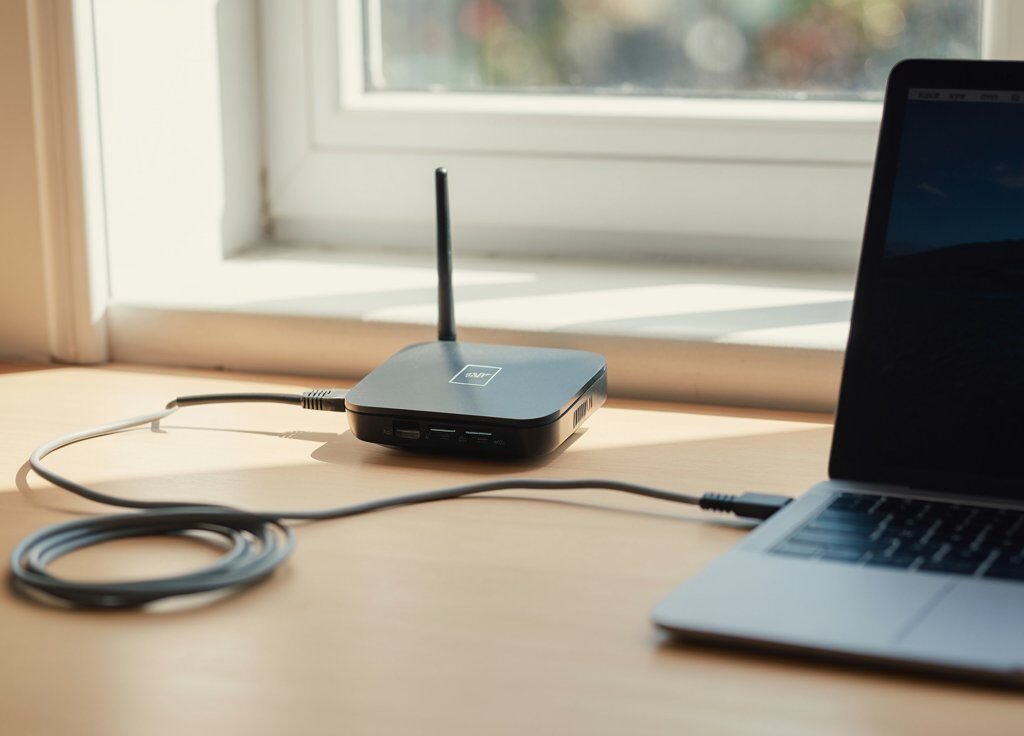
Small black hotspot device with antenna connected to a laptop by USB cable
Internet Setup for RemoteWorkers

Home› Blog› Best Mobile Hotspots for Remote Workers 2026 Tech Equipment · Backup Internet Best Mobile Hotspots for Remote Workers in 2026:Tested, Ranked, and Ready When Your Internet Fails Your internet goes down at 9:47am. Your client call starts in 13 minutes. This guide is the difference between 90-second reconnect and 15 minutes of frantic Googling. Every hotspot ranked for remote work — not gaming benchmarks. 📅 June 9, 2026 ⏱ 15 min read 📖 Remote Workers · Freelancers · Digital Nomads ⚡ Key Takeaways A dedicated mobile hotspot — not your phone’s tethering feature — is the most reliable backup internet option for remote workers in 2026. It keeps your phone battery free, maintains a more stable connection, and handles multiple work devices simultaneously. The best mobile hotspot for most remote workers in 2026 is the Netgear Nighthawk M6 — offering 5G speeds, Wi-Fi 6, an Ethernet port, a touchscreen, and carrier compatibility across AT&T, T-Mobile, and Verizon in an unlocked configuration. For T-Mobile users wanting a carrier-optimized device, the Inseego MiFi X PRO 5G delivers excellent performance on T-Mobile’s nationwide 5G network with Wi-Fi 6 and a built-in Ethernet port. For Verizon users needing maximum speed in urban areas, the Orbic Speed 5G UW accesses Verizon’s Ultra Wideband 5G with up to 30 simultaneous device connections and 12-hour battery life. Before buying a dedicated device, check whether your existing phone plan already includes hotspot data — T-Mobile Magenta MAX includes 40 GB and Verizon 5G Get More includes 100 GB. Every hotspot in this guide was evaluated on the criteria that matter for remote work: upload speed stability, Ethernet port availability, battery life for a full workday, and VPN compatibility. The Moment Every Remote Worker Dreads Your internet goes down. It is 9:47am. Your client call starts in 13 minutes. This is the moment that separates remote workers with a tested backup plan from those who frantically type “how to share phone data” into Google while their call timer ticks down. A mobile hotspot is that backup plan. It is a dedicated device that creates a personal Wi-Fi network from a cellular signal — completely independent of your home internet. When your ISP has an outage, your router needs a reboot that takes too long, or a storm takes your cable down — your hotspot is already on, already saved as a known network on your laptop, and ready to connect in under 90 seconds. This guide ranks the best mobile hotspots for remote workers in 2026 — evaluated specifically for backup internet reliability, not gaming benchmarks or streaming scores. Every recommendation includes an honest assessment of battery life, upload performance, Ethernet capability, and data plan value. What Makes a Mobile Hotspot Good for Remote Work? For remote work backup use, the criteria are completely different from travel or streaming use. A hotspot that excels for video streaming may be completely inadequate for a professional working on VPN. Here is what actually matters: Priority 01 Upload Speed Stability Video calls, VoIP, file uploads, and VPN connections are all upload-dependent. A hotspot with fast download but inconsistent upload will still drop your Zoom calls. Look for 5G sub-6 GHz support — which delivers more consistent upload speeds than LTE — and at least 10 Mbps upload in strong coverage areas. Priority 02 Ethernet Port A hotspot with a built-in Ethernet port lets you connect your work laptop via cable — eliminating Wi-Fi interference between the hotspot and your computer. This is the feature most remote workers overlook and one of the most impactful for call stability during backup use. If your hotspot doubles as a short-term router, it’s worth applying the same QoS rules you’d use on your main router so video calls get priority over background syncs. Priority 03 Battery Life A backup hotspot that dies at 2pm is useless. Look for at least 8–10 hours of rated battery life for a full remote workday. Devices with external antenna ports are a bonus — they can grab a weak signal in a fringe coverage area without needing to be repositioned constantly. Priority 04 Multi-Device Support If your backup situation involves switching both your work laptop and work phone to the hotspot simultaneously, you need a device that handles multiple connections without performance degradation. Look for devices rated for 20+ simultaneous connections. Priority 05 VPN Compatibility Many remote workers access company systems through a corporate VPN. Some carrier plans restrict VPN use or throttle VPN traffic. Confirm your intended plan allows VPN usage before purchasing — and test it during a calm period, not during a crisis. Phone Tethering vs Dedicated Hotspot: The Honest Comparison For occasional backup use, your phone’s built-in hotspot is sufficient. For remote workers who need reliable, extended backup coverage — a dedicated hotspot device is meaningfully better. Factor Phone Tethering Dedicated Hotspot Setup speed Fast — already in your pocket Fast — if pre-configured Battery drain Significant — drains phone fast None — separate battery Connection stability Moderate — shares phone resources Better — dedicated modem Ethernet port Rarely available ✓ Common on mid-to-premium models Multi-device support 5–10 devices typically 20–32 devices on most units Data plan cost Often included in existing plan Separate plan — $25–$60/mo Signal quality Uses phone antenna Dedicated antennas — often stronger VPN compatibility Depends on carrier plan Usually unrestricted 📊 RemoteWorkSetup.info Verdict Use your phone’s hotspot as an emergency bridge — it works, it is free, and it is already in your pocket. But if you experience outages regularly, work in a household where multiple people need backup coverage, or rely on VPN for company systems — a dedicated hotspot device at $25–$60/month is a business expense that justifies itself the first time it saves a client relationship. The Best Mobile Hotspots for Remote Workers in 2026 🥇 #1 — Best Overall Netgear Nighthawk M6 Best for: Remote workers who want the best all-around backup hotspot on any US carrier ~$400–$450 5G StandardSub-6 GHz + Wi-Fi 6 …

Best Mobile Hotspots for Remote Workers in 2026 Read Post »

Scroll to Top