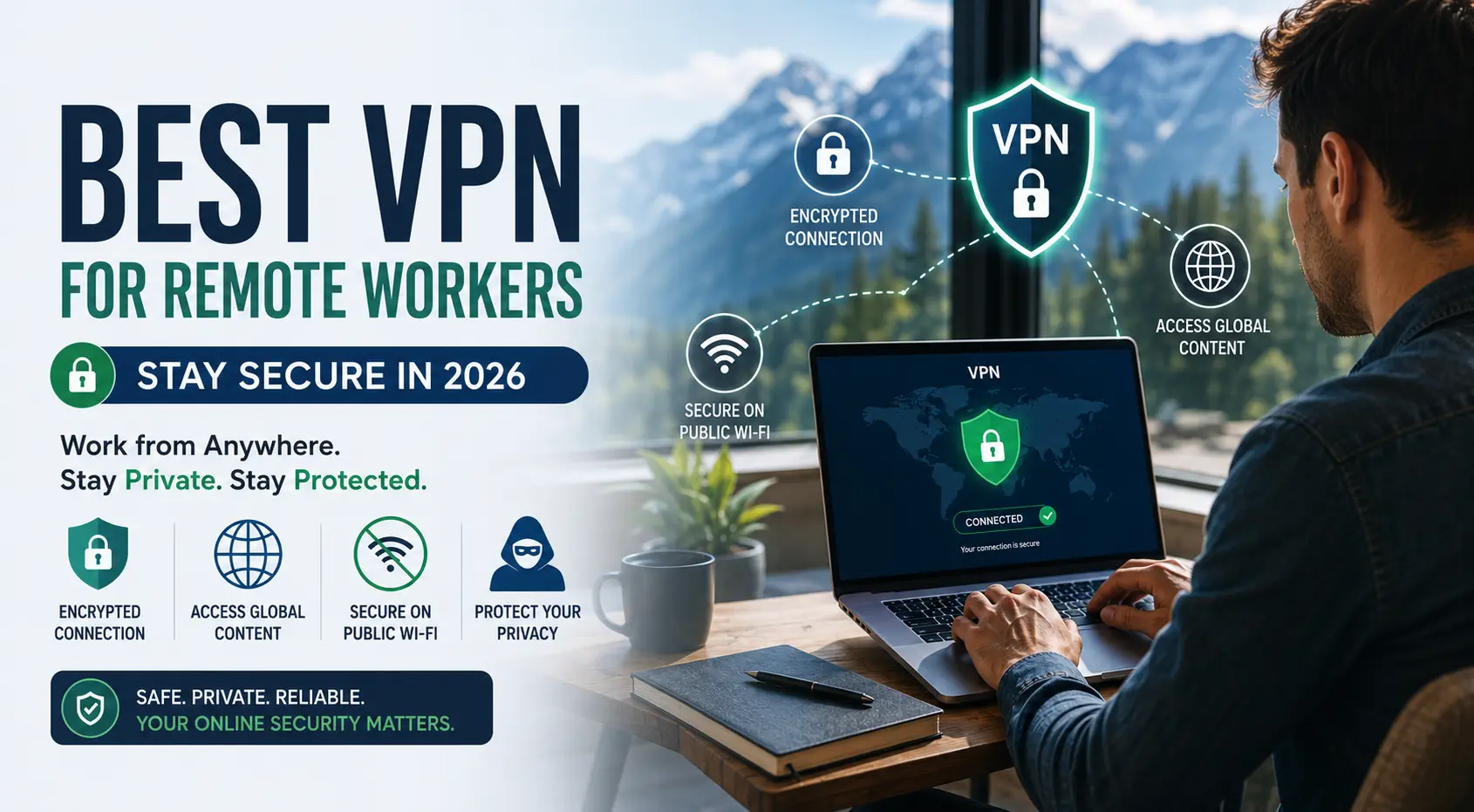
Find the perfect VPN for remote work in 2026. Our expert-tested guide covers the fastest servers, strongest encryption, split tunneling, kill switches, and multi-device plans — everything a work-from-home professional needs. Compare top-rated VPNs side by side and make a confident, informed choice for your privacy and security.
Best VPN for Remote Workers to Stay Secure in 2026
What You'll Know After Reading This
- ✅A VPN is not just for IT departments — every remote worker needs one. Every time you connect to the internet for work, your data travels across networks you don't control. A VPN encrypts that data so no one else can read it.
- ✅A VPN encrypts your internet connection and hides your IP address. This protects sensitive work files, client data, video calls, and login credentials from interception on shared or public networks.
- ✅Not all VPNs are built for remote work. Remote workers need split tunneling, a kill switch, multi-device support, and an independently audited no-logs policy — features most cheap or free VPNs skip.
- ✅Speed matters as much as security. Look for providers using the WireGuard protocol, which delivers fast speeds with strong encryption — essential for video calls and large file transfers.
- ✅Top VPNs for remote workers in 2026: NordVPN, Mullvad, ProtonVPN, Surfshark, and ExpressVPN. Each serves a different priority — from maximum privacy to best value to fastest speeds.
- ✅Free VPNs are a security risk, not a solution. Many free providers log and sell user data — the exact opposite of what remote workers need. A reputable paid VPN costs $3–$8 per month.
- ✅Check with your employer before choosing. Many companies provide a corporate VPN for internal systems. A personal VPN runs alongside it using split tunneling for full coverage.
You lock your laptop when you step away, use strong passwords, and keep your software updated. But if you're connecting to the internet — from home, a café, or a co-working space — without a VPN, your work data is potentially visible to anyone on the same network. Most remote workers don't realize this risk until it's too late. In this guide, you'll learn exactly what a VPN does, why you need one as a remote worker, and which one is right for your setup and budget in 2026.
What Is a VPN and How Does It Work?
A VPN — Virtual Private Network — is a service that creates an encrypted tunnel between your device and the internet. Instead of your data traveling openly across shared networks where it can be intercepted, it passes through this encrypted tunnel and exits through a server operated by the VPN provider, masking both its content and your real IP address.
Think of it like mailing a letter inside a locked steel box rather than a transparent envelope. Anyone who intercepts the box in transit sees only the outer casing — never what's inside.
When you connect to a VPN, three things happen simultaneously: your internet traffic is encrypted end-to-end using modern protocols like AES-256; your real IP address is replaced with the VPN server's IP; and your internet service provider (ISP) can no longer see what sites you visit or files you transfer.
A VPN (Virtual Private Network) is a service that encrypts a user's internet connection and routes it through a remote server, concealing their IP address and preventing third parties from intercepting their online activity.
Remote workers using a VPN benefit from end-to-end encryption of work data, secure access to company resources, and protection from surveillance on shared or public Wi-Fi networks.
The WireGuard VPN protocol, widely adopted in 2024–2026, delivers faster connection speeds and stronger cryptographic security than older protocols such as OpenVPN and L2TP/IPSec.
Why Remote Workers Need a VPN in 2026
Remote work has permanently changed where — and how — people connect to the internet for work. The average remote worker in 2026 connects from multiple locations each week: their home network, a café, a co-working space, or a hotel. Each of these connections carries a different risk profile, and very few are as secure as the office network they replaced.
Home routers are frequently misconfigured or running outdated firmware with known security vulnerabilities, making them an easy target for attackers on the same ISP network. Public Wi-Fi in cafés, airports, and hotels is almost entirely unencrypted — anyone on the same network can monitor unprotected traffic using freely available tools.
For remote workers handling client data, financial information, proprietary documents, or internal communications, the stakes are high. A single intercepted session on an unprotected network can expose login credentials, email content, or confidential files — none of which are recoverable once compromised.
What to Look for in a VPN for Remote Work
A VPN built for streaming Netflix in another country is very different from one optimized for a professional remote work environment. Here are the six features that matter most for working remotely.
Independently Audited No-Logs Policy
A no-logs policy means the VPN provider does not store records of your browsing activity, connection times, or IP addresses. Critically, this policy must be verified by a third-party audit — not just a marketing claim on a landing page. Providers like Mullvad and ProtonVPN have published independent audit results. If a provider cannot point you to a public audit, treat their claims with skepticism.
Kill Switch
A kill switch automatically cuts your internet connection if the VPN tunnel drops unexpectedly. Without it, your device silently falls back to your unprotected connection mid-session — potentially during a video call or file transfer, with no warning. For remote workers, a kill switch is non-negotiable and should be enabled on day one.
Split Tunneling
Split tunneling lets you route some traffic through the VPN while other traffic goes directly to the internet. This is especially valuable if your employer provides a corporate VPN for internal systems — you can run both simultaneously, keeping work-system traffic on the company VPN while your personal VPN protects all other browsing.
WireGuard Protocol
WireGuard is the current gold standard VPN protocol for speed and security combined. It uses modern cryptography and a far leaner codebase than older protocols like OpenVPN, resulting in significantly faster speeds with no compromise in protection. If a VPN provider doesn't support WireGuard (or a WireGuard-based derivative like NordLynx or Lightway), it's a red flag in 2026.
Multi-Device Support
Remote workers rarely use just one device. Look for a VPN that supports at least 5–10 simultaneous connections, covering your laptop, phone, tablet, and home router. Surfshark's unlimited device policy stands out for freelancers or households with multiple work devices.
Server Network Size
A large server network gives you more options to connect to a low-latency server near your physical location — the primary factor in maintaining speed. It also matters if you need to access region-specific work resources. NordVPN (6,000+ servers) and ExpressVPN (3,000+ servers) lead the field.
Personal VPN vs. Corporate VPN: What's the Difference?
Understanding this distinction saves you from buying the wrong product — or paying for two products when one would do.
Corporate (Business) VPNs
Many employers provide a corporate VPN for remote employees to securely access internal company systems — file servers, intranets, HR portals, and proprietary databases. These are configured and managed by the company's IT department. They protect the route between your device and company servers but typically do not encrypt your general internet browsing or protect you on public networks. Examples include Cisco AnyConnect, Palo Alto GlobalProtect, and Cloudflare Access.
Personal (Consumer) VPNs
A personal VPN — like NordVPN or ProtonVPN — encrypts all of your internet traffic, not just traffic destined for a company server. This protects general browsing, video calls on external platforms (Zoom, Google Meet), cloud storage transfers, email, and every other online activity that happens outside your company's network. A personal VPN complements a corporate VPN — it does not replace it.
Top 5 Best VPNs for Remote Workers in 2026
These picks were evaluated on verified no-logs policies, WireGuard support, independent speed test results, kill switch reliability, device limits, and pricing transparency. Each recommendation targets a specific remote worker profile.
NordVPN
NordVPN remains the best all-around VPN for remote workers in 2026. Its NordLynx protocol — built on WireGuard — delivers consistently fast speeds with minimal latency impact, making it reliable for video calls, large file transfers, and cloud-based work tools. Its no-logs policy has been independently audited multiple times by PricewaterhouseCoopers, making it one of the most verifiably trustworthy options on the market.
The Threat Protection feature blocks malicious websites, trackers, and malware-laden ads before they load — adding a meaningful extra layer of defense beyond standard VPN encryption. With 6,000+ servers across 111 countries and up to 10 simultaneous device connections, NordVPN covers virtually every remote work scenario from a single subscription.
Mullvad VPN
Mullvad is the privacy purist's choice — and in a category full of marketing-heavy providers, its approach is refreshingly austere. Unlike every other provider on this list, Mullvad requires no email address to sign up. You're assigned a random account number. You can pay with cash or cryptocurrency. Their no-logs policy has been independently audited by Cure53. They do not run promotional discount schemes, referral programs, or any mechanism that incentivizes data collection.
Speed performance is excellent thanks to WireGuard support. The flat $5/month pricing — with no long-term contracts required — is one of the most honest pricing models in the industry. For remote workers handling highly sensitive data, legal or financial client work, or those who simply demand maximum privacy without compromise, Mullvad is unmatched.
ProtonVPN
ProtonVPN is the only VPN on this list with a genuinely usable free tier — and one of the very few where the free version imposes no data cap whatsoever. The free plan covers one device with servers in three countries, which is sufficient for basic everyday privacy protection. The paid plans (starting at $4.99/month) unlock all 90+ server locations, 10 device connections, and the Stealth protocol for use on restrictive networks.
ProtonVPN is headquartered in Switzerland, placing it outside the jurisdiction of US and EU surveillance alliances (the Five/Nine/Fourteen Eyes). Its apps are fully open source — the code is publicly auditable by any security researcher in the world. For remote workers who are new to VPNs and want to test before committing to a paid plan, ProtonVPN's free tier is the only honest starting point.
Surfshark
Surfshark's defining feature is practical and simple: unlimited simultaneous device connections on a single subscription. For remote workers with multiple laptops, a phone, a tablet, and a home router to protect — or for small freelance teams sharing a subscription — this is a tangible advantage over competitors that cap at 5 or 10 devices. Speed performance on WireGuard is strong, and the built-in CleanWeb feature blocks ads and known malicious domains.
Pricing on the two-year plan makes Surfshark one of the most affordable premium VPNs available — often under $2.50/month — while still delivering an independently audited no-logs policy. It lacks the name recognition of NordVPN and the privacy purity of Mullvad, but for value-focused remote workers managing multiple devices on a budget, it's the clearest recommendation.
ExpressVPN
ExpressVPN consistently tops independent speed benchmarks, thanks to its proprietary Lightway protocol — a WireGuard competitor that prioritizes connection speed and reliability above all else. For remote workers whose work involves heavy video conferencing, 4K screen sharing, large media file transfers, or latency-sensitive collaboration tools, the speed advantage over other providers is genuinely tangible in daily use.
ExpressVPN also offers direct installation on home routers, protecting every device on your home network without installing apps individually — a meaningful convenience for households with smart devices, shared computers, or gaming consoles. At $8.32/month on an annual plan, it's the most expensive pick on this list. For speed-critical professionals, that premium is well-justified.
Side-by-Side Comparison: Top VPNs for Remote Workers at a Glance
| VPN | Starting Price | Devices | Protocol | No-Logs Audit | Free Tier | Best For |
|---|---|---|---|---|---|---|
| NordVPN | ~$3.39/mo | 10 | NordLynx | ✓ PwC | ✗ | Best overall |
| Mullvad | $5/mo flat | 5 | WireGuard | ✓ Cure53 | ✗ | Maximum privacy |
| ProtonVPN | Free / $4.99/mo | 10 | WireGuard | ✓ SEC Consult | ✓ No cap | Best free option |
| Surfshark | ~$2.49/mo | Unlimited | WireGuard | ✓ Cure53 | ✗ | Multiple devices |
| ExpressVPN | ~$8.32/mo | 8 | Lightway | ✓ KPMG | ✗ | Fastest speeds |
How to Set Up a VPN for Your Work From Home Setup
Setting up a VPN takes less than five minutes. Here's the process that applies to any of the providers above:
- Choose your VPN provider and create an account. Visit the provider's official website — never a third-party download site. Select a plan, complete payment, and create your account.
- Download the official app for your primary device. Install the app for macOS, Windows, iOS, or Android. All five providers on this list offer native apps for every major platform.
- Enable the kill switch before your first connection. Find the kill switch setting in the app's preferences (it may be called "Network Lock" or "Internet Kill Switch"). Turn it on before connecting for the first time. This is the single most important configuration step.
- Connect to a nearby server. For the lowest latency and best speed, connect to a VPN server geographically close to your physical location. Save this as your default server for daily use.
- Configure split tunneling if needed. If you use a corporate VPN for work systems, set up split tunneling in your personal VPN app to route company app traffic through the corporate VPN and all other traffic through your personal VPN.
- Install on all your work devices. Repeat the installation on your phone, tablet, and any secondary laptops. Set each to auto-connect on startup so you're never accidentally unprotected.
Frequently Asked Questions About VPNs for Remote Workers
What's Next: Secure Your Full Remote Work Setup
A VPN is your first line of network defense. Here's the complete security checklist for remote workers in 2026:
- Choose and install your VPN — Use our picks above. Enable the kill switch on day one. Set it to auto-connect on device startup.
- Update your home router firmware — Log into your router admin panel and check for firmware updates. An outdated router can undermine even the best VPN.
- Enable two-factor authentication (2FA) on all work accounts — Email, cloud storage, project management tools, and client-facing platforms should all require 2FA.
- Use a password manager — 1Password, Bitwarden, or Dashlane generate and store unique passwords for every account, eliminating credential reuse — one of the most common attack vectors against remote workers.
- Keep your OS and apps updated — The vast majority of successful attacks exploit known vulnerabilities in outdated software. Enable automatic updates wherever possible.
Final Verdict: The Best VPN for Remote Workers in 2026
Remote work has permanently expanded the attack surface any individual worker presents to cybercriminals. Every unencrypted connection, every public network, every home router running last year's firmware is a potential entry point. A VPN closes the most significant of these gaps for less than the monthly cost of a coffee.
For most remote workers, NordVPN is the clear recommendation — fast, independently audited, feature-complete, and priced fairly on a two-year plan. If privacy is your primary concern, Mullvad offers the most rigorous no-logs guarantee in the industry. If you're new to VPNs and want to test before paying, ProtonVPN's free tier is the only genuinely honest free option available.
Pick one, install it on every device you use for work, turn on the kill switch — and then stop thinking about it. The best VPN is the one running quietly in the background while you focus on the work that actually matters.
Add a Comment