
The Best Ergonomic Chair
for Remote Workers in 2026
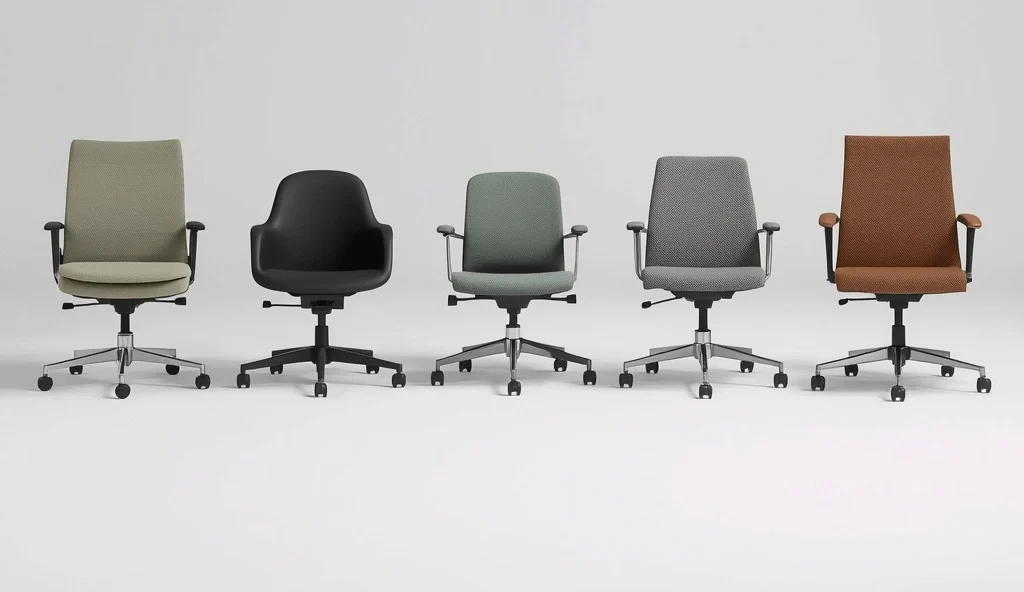
- If you sit eight-plus hours a day, your chair affects your back more than your mattress does — the damage just shows up slowly, as tightness you stop noticing.
- "Ergonomic" is mostly meaningless marketing now. What matters is whether the chair actually adjusts to your specific body — especially seat depth, the feature most chairs under $400 skip entirely.
- A well-adjusted $200 chair beats a badly adjusted $1,000 one every time. Run the five-minute check on your current chair before spending anything new.
- Certified refurbished premium chairs — a Leap V2 or Aeron — come with the same warranty as new for 40–50% less, and are often the single best value move in this whole guide.
- Spread across a 12-year warranty, a $499 chair works out to under 40 cents a workday — cheaper than the physical therapy a bad chair eventually leads to.
A Health Decision, Not a Furniture Decision
Most people treat their office chair like a furniture decision instead of a health decision. You pick something that looks decent, fits the budget, or matches the desk — and then spend the next several months slowly developing a tight lower back, achy shoulders, and that specific 3pm slump that has nothing to do with how much sleep you got.
If you're sitting eight-plus hours a day, your chair honestly affects your back more than your mattress does. That's not an exaggeration for effect — it's just how much daily, repeated contact it has with your spine. And the frustrating part is that the damage from a bad chair doesn't show up as one dramatic injury. It shows up slowly, as tightness that becomes normal, as a slouch you stop noticing, as an energy dip you chalk up to "just being tired."
This guide takes the chair decision seriously. We've broken down what actually makes a chair ergonomic versus what's just marketing language, ranked solid options across every price range from about $150 up to $1,800, and included a five-minute check you can run on your current chair before spending a cent on a new one. For the bigger picture beyond the chair, see our guide to protecting your back, neck, and eyes in a home office.
What "Ergonomic" Actually Means
Every chair in 2026 calls itself ergonomic, from $80 seats to $2,000 flagship models. The word itself tells you almost nothing — what matters is whether the chair can actually be adjusted to fit your specific body. Here's what to check, roughly in order of importance.
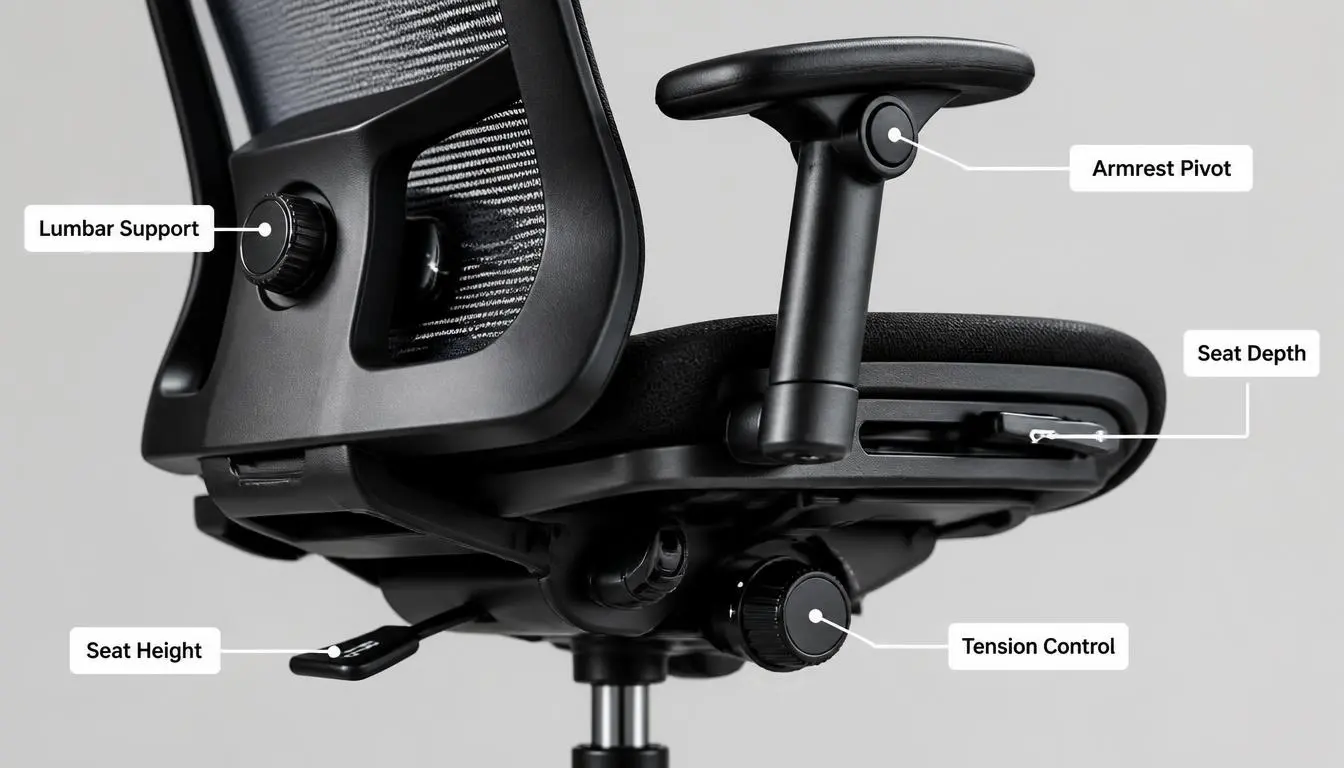
- Seat height adjustment. Non-negotiable on literally any chair. Feet flat on the floor, thighs roughly parallel to the ground.
- Seat depth adjustment — the one everyone skips. You want two or three fingers of space between the front edge of the seat and the back of your knees. A lot of chairs under $400 don't offer this at all.
- Lumbar support you can actually move. Height-adjustable, ideally with firmness control too, fits your specific lower-back curve instead of an average one.
- Armrests that move in more than one direction. Look for 3D at minimum — height, width, and pivot. 4D adds forward-and-back movement.
- Some recline, with tension you can control. A backrest locked at one fixed angle means your muscles hold a static position for hours.
- Mesh versus foam. Mesh backs breathe; foam and fabric trap heat you'll feel by hour three or four.
The Five-Minute Check for Your Current Chair
Before you spend money on anything new, run this check on the chair you already have. A well-adjusted $200 chair beats a badly adjusted $1,000 one every single time. For a neutral reference on seated posture, the OSHA Computer Workstations eTool is a helpful cross-check.
- Sit normally and check your seat height — feet flat, thighs roughly parallel to the floor. If your feet dangle or your knees point sharply upward, fix the height first.
- Sit all the way back and check the gap behind your knees. Two or three fingers of space is the target.
- Sit upright and notice exactly where the lumbar support touches your back — it should land on the inward curve of your lower spine, roughly at belt height.
- Relax your shoulders and check your armrests. Forearms should rest naturally with shoulders level.
- Look straight ahead at your monitor — your eyes should land in the top third of the screen, not below.
What You Actually Get at Each Price Point
| Price Range | Tier | What You Get |
|---|---|---|
| $100–$250 | Budget | Basic height adjustment, limited lumbar support — skips seat depth, lower-durability materials |
| $250–$500 | Mid-range value | Full adjustability, breathable mesh, decent warranties — no premium materials or dynamic back tech |
| $500–$800 | Mid-range premium | Starts adding commercial build quality and longer warranties |
| $800–$1,400 | True premium | Dynamic back technology, best long-term durability — often under 50¢/workday over a 12-year warranty |
| $1,400–$2,000+ | Ultra-premium | Mostly flagship design and brand recognition — real but smaller ergonomic gains over the tier below |
The Picks Worth Actually Considering
If you sit six-plus hours a day and want genuinely commercial-grade quality without going all the way to flagship pricing, this is the one to start with. It includes seat depth adjustment — which a lot of chairs at this price skip entirely — along with 4D armrests that rival chairs costing twice as much, and a warranty rated for 12 years of multi-shift commercial use.
The backrest uses a woven material with internal flexors that shift with your movement rather than holding one fixed pressure point, which prevents that stiff, static feeling by mid-afternoon. Amortized across its warranty at five days a week, it works out to under 40 cents a workday.
Downside: no headrest option at all, even as an add-on. If neck support matters, look at the Series 2 or the FlexiSpot C7 below.
For remote workers who can't quite justify $500 but need something that will actually hold up to an eight-hour workday, this is a strong answer. It includes eight-point adjustability, breathable mesh, seat depth adjustment (rare at this price), height-adjustable lumbar support, and a seven-year warranty — well above the typical five-year standard.
In extended use, it tends to hold up well — no sagging, squeaking, or loose joints after months of daily use.
Downside: seat is around 18 inches wide, which may feel tight for broader users; armrests are plastic rather than padded, and there's no headrest.
This one's for people who want the most adjustability possible without premium pricing. It includes a five-position locking recline, a lumbar pad that rotates 360 degrees, an adjustable headrest (the one thing missing from the two picks above), and 3D arms with height, width, and pivot adjustment.
Downside: doesn't match the fit-and-finish or long-term warranty of a Herman Miller or Steelcase — three years here, versus Branch's seven or the Series 1's twelve. Assembly takes 30–45 minutes and a few buyers find the instructions confusing.
If you already deal with lower back pain, or you're sitting eight-plus hours daily most days of the week, this is the technical standout. Its dynamic backrest flexes and adjusts as you move, and the lumbar support adjusts for both height and firmness — probably the most targeted back-pain-prevention setup available in any office chair right now.
It comes with 4D armrests, adjustable back tension, and a separate dial for fine-tuning upper-back pressure. Certified refurbished units run roughly half the new price, still backed by the full 12-year warranty — for a lot of remote workers, this is the best value move in this entire guide.
The Aeron is the chair most people picture when they think "nice office chair." Its mesh system uses eight zones of varying tension calibrated to different parts of your body — firmer support where you need it, lighter give where you don't. The support underneath focuses on your sacrum, helping keep your pelvis tilted correctly without requiring you to actively hold good posture.
Downside: no seat depth adjustment — instead it comes in three sizes (A, B, C), and picking the right one matters enormously. Sitting in all three before buying isn't optional advice, it's essential.
For a genuinely tight budget, this is the honest answer. It's held up well in independent testing against chairs costing several times more, particularly on comfort and adjustability. It includes a mesh back, adjustable lumbar height, 2D armrests, and a working tilt mechanism — more than most chairs at this price bother to offer.
Downside: no seat depth adjustment, a less durable frame than the mid-range options, and a lumbar pad that can't be precisely fitted. Good for a secondary workspace or short-term fix — stretch to the Branch if you possibly can for a primary chair.
A Simple Framework for Choosing
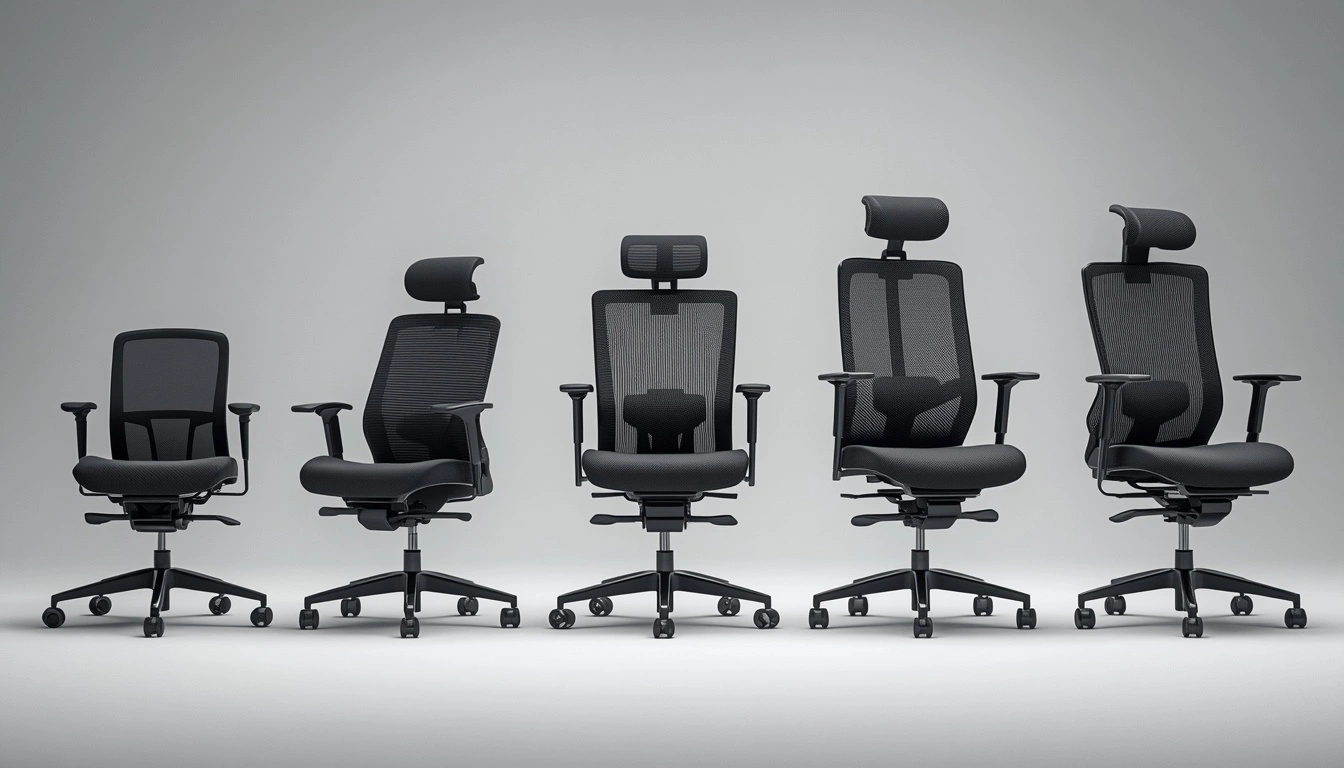
- Sit five to eight hours daily and want commercial-grade quality without flagship prices — Steelcase Series 1
- Budget genuinely caps out under $400 but you still want real, proven support — Branch Ergonomic Chair
- Want the most adjustable features for your money, and a headrest matters — FlexiSpot C7
- Already have back pain, or sitting eight-plus hours most days — Leap V2, ideally refurbished
- Breathability and how it looks on camera both matter, and you're willing to pay — Aeron, sized correctly
- Budget is firmly under $250 with no room to move — Alera Elusion, especially for a secondary space
Short on room? A chair is only half the equation in a compact space, so see our small-space home office ideas for apartments before you commit to a bigger model.
Getting the Most Out of Whatever You Buy
- Set every adjustment on day one — seat height, depth, lumbar, armrests, tilt tension — rather than fiddling with one setting now and another next week.
- Set a reminder to stand and move every 45–60 minutes. Even the best chair in the world can't fully offset hours of complete stillness.
- Re-check your lumbar position any time you change your seat height for a new desk or keyboard.
- Rest your forearms on the armrests, not your elbows — the point of the elbow puts pressure on a nerve that isn't comfortable over a full workday.
- Use the trial period if you're spending premium money. Sit in the chair for 20–30 minutes in person if you can, and use the 30-day return windows most premium brands offer.
Mistakes Worth Avoiding
The Cost-Per-Workday Reality Check
Sticker price scares people off premium chairs more than it should. Run the actual math before deciding a chair is "too expensive" — it usually isn't, once it's spread across the years you'll actually sit in it.
Run this math before ruling out a chair on price alone — the tier above your current budget is often cheaper per workday than it looks.
Frequently Asked Questions
Not the Place to Cut Corners
Your chair isn't the place to cut corners in a home office setup — it's the one piece of equipment in constant physical contact with your body for the majority of your working hours, and its failures don't announce themselves. They just quietly become back pain, tight shoulders, and an afternoon energy crash you've stopped questioning.
For most people, the Steelcase Series 1 hits the best overall balance of price and quality. If budget's tight, the Branch chair covers the essentials. If back pain is already part of the picture, a refurbished Leap V2 is worth the stretch. Whatever you end up with — run the five-minute fitting check, set every adjustment properly, and build in a reminder to move every hour or so.
Add a Comment