Best Mobile Hotspots for Remote Workers in 2026:
Tested, Ranked, and Ready When Your Internet Fails
Your internet goes down at 9:47am. Your client call starts in 13 minutes. This guide is the difference between 90-second reconnect and 15 minutes of frantic Googling. Every hotspot ranked for remote work — not gaming benchmarks.
- A dedicated mobile hotspot — not your phone's tethering feature — is the most reliable backup internet option for remote workers in 2026. It keeps your phone battery free, maintains a more stable connection, and handles multiple work devices simultaneously.
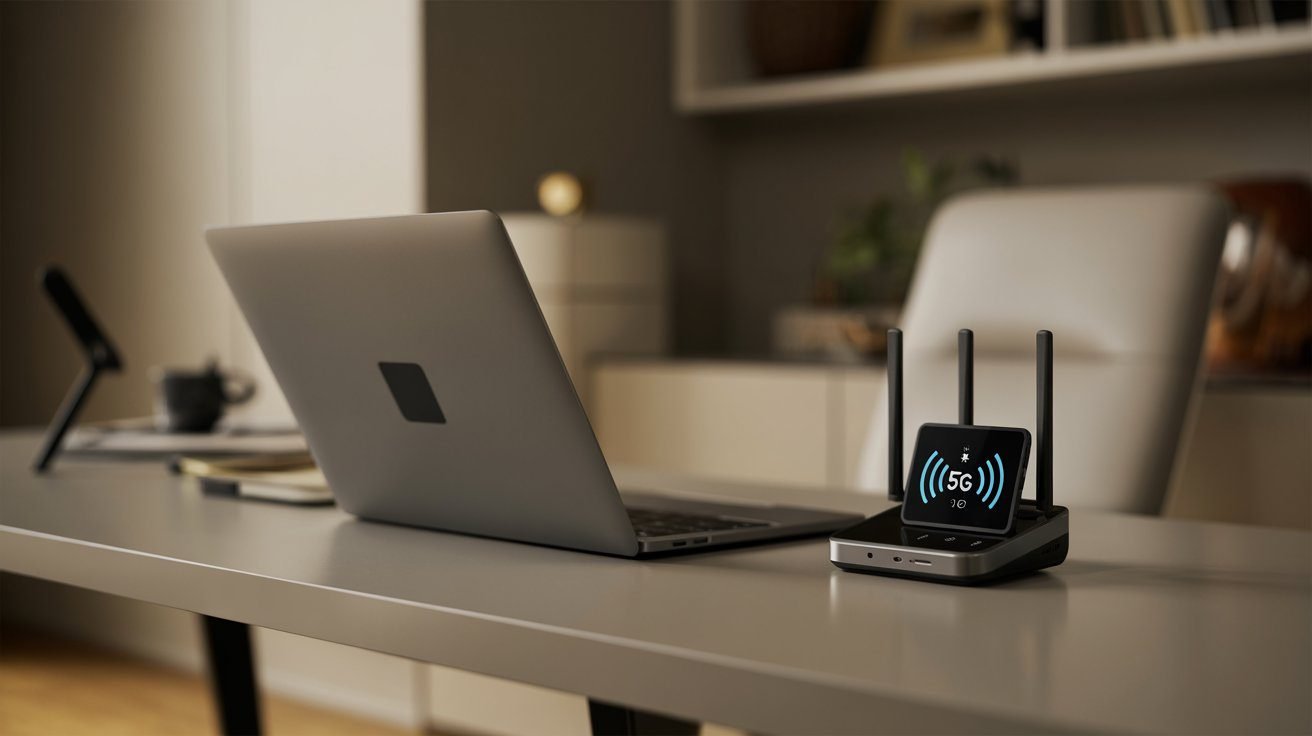
- The best mobile hotspot for most remote workers in 2026 is the Netgear Nighthawk M6 — offering 5G speeds, Wi-Fi 6, an Ethernet port, a touchscreen, and carrier compatibility across AT&T, T-Mobile, and Verizon in an unlocked configuration.
- For T-Mobile users wanting a carrier-optimized device, the Inseego MiFi X PRO 5G delivers excellent performance on T-Mobile's nationwide 5G network with Wi-Fi 6 and a built-in Ethernet port.
- For Verizon users needing maximum speed in urban areas, the Orbic Speed 5G UW accesses Verizon's Ultra Wideband 5G with up to 30 simultaneous device connections and 12-hour battery life.
- Before buying a dedicated device, check whether your existing phone plan already includes hotspot data — T-Mobile Magenta MAX includes 40 GB and Verizon 5G Get More includes 100 GB.
- Every hotspot in this guide was evaluated on the criteria that matter for remote work: upload speed stability, Ethernet port availability, battery life for a full workday, and VPN compatibility.
The Moment Every Remote Worker Dreads
Your internet goes down. It is 9:47am. Your client call starts in 13 minutes. This is the moment that separates remote workers with a tested backup plan from those who frantically type "how to share phone data" into Google while their call timer ticks down.
A mobile hotspot is that backup plan. It is a dedicated device that creates a personal Wi-Fi network from a cellular signal — completely independent of your home internet. When your ISP has an outage, your router needs a reboot that takes too long, or a storm takes your cable down — your hotspot is already on, already saved as a known network on your laptop, and ready to connect in under 90 seconds.
What Makes a Mobile Hotspot Good for Remote Work?
For remote work backup use, the criteria are completely different from travel or streaming use. A hotspot that excels for video streaming may be completely inadequate for a professional working on VPN. Here is what actually matters:
Phone Tethering vs Dedicated Hotspot: The Honest Comparison
For occasional backup use, your phone's built-in hotspot is sufficient. For remote workers who need reliable, extended backup coverage — a dedicated hotspot device is meaningfully better.
| Factor | Phone Tethering | Dedicated Hotspot |
|---|---|---|
| Setup speed | Fast — already in your pocket | Fast — if pre-configured |
| Battery drain | Significant — drains phone fast | None — separate battery |
| Connection stability | Moderate — shares phone resources | Better — dedicated modem |
| Ethernet port | Rarely available | ✓ Common on mid-to-premium models |
| Multi-device support | 5–10 devices typically | 20–32 devices on most units |
| Data plan cost | Often included in existing plan | Separate plan — $25–$60/mo |
| Signal quality | Uses phone antenna | Dedicated antennas — often stronger |
| VPN compatibility | Depends on carrier plan | Usually unrestricted |
The Best Mobile Hotspots for Remote Workers in 2026
| Upload Stability | Excellent |
| Ethernet Port | ✓ 1 Gbps |
| Battery Life | 13 hours — full workday covered |
| Carrier Compatibility | Unlocked — AT&T, T-Mobile, Verizon |
| External Antenna | ✓ Two TS9 ports |
| VPN Compatibility | ✓ Yes |
The unlocked Nighthawk M6 works with AT&T, T-Mobile, and Verizon — a critical advantage for a backup device that needs to work wherever you are. In testing, the M6 delivered 200–350 Mbps on 5G mid-band in good coverage areas, and 400–500 Mbps on 5G mmWave in urban environments.
For remote work, the standout feature is the combination of a 1 Gbps Ethernet port and Wi-Fi 6 — you can plug your laptop directly into the hotspot for a wired-quality connection during backup use, or share the hotspot wirelessly across multiple work devices simultaneously. The Netgear Mobile app provides remote management, data usage tracking, and the ability to reboot the device directly — useful when the hotspot is positioned near a window for best signal and you do not want to physically reach it.
The two TS9 external antenna ports accept window-mount antennas (purchased separately, $20–$60) — the most impactful upgrade for remote workers in rural or suburban areas where 5G coverage is inconsistent.
The best single backup hotspot for any remote worker who wants one device that works on any carrier, handles every work task, and lasts the full workday. Buy the unlocked version — paying $100–$150 more than a carrier-locked unit gives you the flexibility to switch plans without replacing the hardware. Over a 3-year lifespan, that premium is negligible.
| Upload Stability | Very good on T-Mobile 5G |
| Ethernet Port | ✓ 1 Gbps |
| Battery Life | 8 hours — sufficient for standard workday |
| Carrier Compatibility | T-Mobile (carrier-locked) |
| External Antenna | ✓ Two TS9 ports |
| VPN Compatibility | ✓ Yes |
The Inseego MiFi X PRO 5G is designed specifically around T-Mobile's 5G band configuration — meaning it accesses T-Mobile's network more efficiently than a generic unlocked device. For T-Mobile subscribers who can add a hotspot line to an existing plan at a discounted rate, this is the most cost-effective remote work backup configuration available in 2026.
The 1 Gbps Ethernet port is present — the most critical hardware feature for a remote work backup device — and Wi-Fi 6 handles multiple simultaneous device connections cleanly. The device also supports USB-C tethering directly to your laptop, bypassing Wi-Fi entirely when battery or signal efficiency is critical.
The 8-hour battery is the main trade-off versus the Nighthawk M6. For extended days or travel scenarios — carry a USB-C power bank to extend it through the afternoon.
The best value dedicated hotspot for T-Mobile users. If you are already on T-Mobile and can add a hotspot line to your existing plan at a discounted rate — the Inseego MiFi X PRO 5G with a 100 GB T-Mobile Business Unlimited plan is the most cost-effective remote work backup configuration available in 2026.
| Upload Stability | Excellent on Verizon UW |
| Ethernet Port | ✓ Yes |
| Battery Life | 12 hours — among the best in category |
| Carrier Compatibility | Verizon (carrier-locked) |
| Peak Speeds | 700–800 Mbps on Verizon UW in strong coverage |
| VPN Compatibility | ✓ Yes |
The Orbic Speed 5G UW delivers exceptional performance on Verizon's network, supporting 5G Ultra Wideband technology with peak speeds of 700–800 Mbps when connected to multiple devices in strong coverage areas. Verizon's network consistently scores highest in reliability metrics — particularly in rural areas — making this the preferred choice for remote workers whose work locations include suburban and rural areas where Verizon's LTE coverage is more consistent than T-Mobile's 5G footprint.
The 12-hour battery is among the longest in the category and covers extended workdays without a charge — a meaningful advantage over the Inseego's 8-hour rating.
| Upload Stability | Excellent |
| Ethernet Port | ✓ 2.5 Gbps (upgrade from standard M6) |
| Battery Life | 13 hours |
| Carrier Compatibility | Unlocked — global, 125+ countries |
| Wi-Fi Standard | Wi-Fi 6E (6GHz band added) |
| VPN Compatibility | ✓ Yes |
The upgrade from the standard M6 centers on two features: Wi-Fi 6E (adding the less-congested 6GHz band for local device connections) and a 2.5 Gbps Ethernet port — allowing you to connect a full Wi-Fi 6 router behind the hotspot and essentially create a portable 5G home network wherever you are. The Qualcomm Snapdragon X65 5G modem can reach speeds of up to 8 Gbps under ideal conditions. If you're chaining a router behind the hotspot this way, it behaves like a fresh ISP connection — the same logic behind putting your ISP modem in bridge mode applies: let one device handle routing duties instead of double-NATing through two.
The M6 Pro is compatible in more than 125 countries — making it the most versatile choice for digital nomads and remote workers who travel internationally and need consistent, high-performance connectivity across borders without purchasing local SIMs for each country.
At $499–$700, this is a serious investment. The standard Nighthawk M6 delivers 90% of the performance at a meaningfully lower price for US-based workers. The M6 Pro earns its premium for international travelers and remote workers who want to connect a full router behind the hotspot for a portable home network configuration. If that is not you — buy the standard M6.
| Upload Stability | Good on AT&T 5G |
| Ethernet Port | ✗ Wi-Fi only |
| Battery Life | 10 hours — covers a full standard workday |
| Carrier Compatibility | AT&T (carrier-locked) |
| Device Cost | $65–$100 — lowest in this guide |
| VPN Compatibility | ✓ Yes |
At $65–$100 device cost on AT&T, the Franklin A50 is the entry point for remote workers who want a dedicated backup hotspot without a significant hardware investment. It delivers reliable 5G sub-6 connectivity sufficient for HD video calls and cloud work — without the advanced features of the Nighthawk or Inseego units.
Trade-offs for remote work: no Ethernet port (Wi-Fi only connection to your devices) and Wi-Fi 5 rather than Wi-Fi 6. For a true backup device used briefly during outages, neither limitation is critical. For daily extended use or VPN-heavy work, the Inseego MiFi X PRO 5G or Nighthawk M6 is the better choice.
Hotspot Data Plans: What You Actually Pay in 2026
The device is only half the equation. Before buying any new plan, check whether your current phone plan already includes hotspot data:
- T-Mobile Magenta MAX includes 40 GB of hotspot data — sufficient for most backup use scenarios
- Verizon 5G Get More includes 100 GB of hotspot data
- AT&T Unlimited Premium includes 60 GB of hotspot data
| Carrier | Data | Monthly Cost | Best For |
|---|---|---|---|
| T-Mobile | 100 GB | ~$50/mo | Heavy users — best value per GB |
| Verizon | 150 GB | ~$60/mo | Maximum reliability, rural coverage |
| AT&T | 100 GB | ~$55/mo | Balanced nationwide coverage |
| T-Mobile | 50 GB | ~$35/mo | Light backup use — outage days only |
| Prepaid (T-Mobile/AT&T) | 10–50 GB | $10–$30/mo | Very occasional backup use |
How to Choose the Right Hotspot for Your Situation
- You want one device that works on any US carrier
- You need an Ethernet port for wired laptop connection
- You may switch carriers or work from multiple locations
- You want the best all-around backup with 13-hour battery
- You are already on T-Mobile with an existing plan
- You can add a hotspot line at a discounted rate
- You want the best T-Mobile integration at lower device cost
- A standard 8-hour workday is sufficient
- You are on Verizon with strong local UW coverage
- You need maximum speeds during backup use
- Battery life matters — 12 hours is among the longest
- You work in urban or suburban areas
- You travel internationally to 125+ countries
- You want to connect a full router behind the hotspot
- You need a 2.5 Gbps Ethernet port and Wi-Fi 6E
- Budget is the primary constraint
- You need only occasional backup coverage
- You are on AT&T and can add to an existing plan cheaply
- You do not need an Ethernet port
Only on RemoteWorkSetup.info — The 90-Second Hotspot Activation Protocol
Most remote workers buy a hotspot, set it up once, and then discover — during an actual crisis — that they cannot remember the password, the network is not saved on their laptop, or the VPN does not work through the carrier's network. The single most common reason hotspots fail as backup tools: they were never actually tested before they were needed.
Here is the 90-Second Activation Protocol — a one-time setup process that ensures your hotspot connects in under 90 seconds during any real outage. The five steps take 20 minutes to complete once. Run them this week.
Pro Tips for Getting the Most from Your Backup Hotspot
- 01Charge your hotspot every Sunday night without exception. A hotspot with a dead battery is useless during a Monday morning outage. Build a non-negotiable weekly charging habit — Sunday night, plug it in alongside your laptop and phone. A fully charged hotspot is always ready. A dead hotspot during an outage is worse than having no backup at all because it creates false confidence.
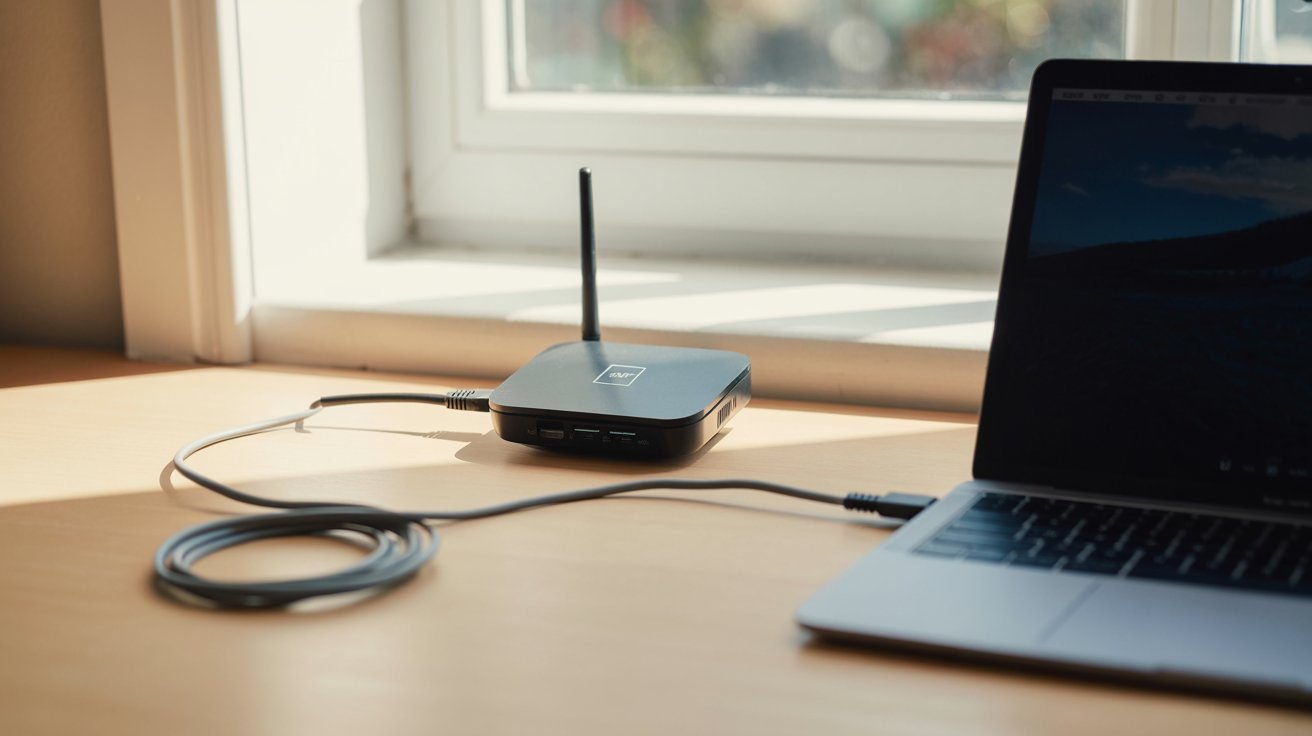
- 02Position the hotspot near a window for best signal, then connect your laptop via Ethernet. Cellular signals are stronger near windows and exterior walls. During an outage, moving the hotspot 10 feet closer to a window can increase speeds by 30–50% in fringe coverage areas. If your hotspot has an Ethernet port — run a cable from the hotspot to your desk and connect your laptop wired. Better signal at the hotspot location, stable wired connection to your device. This is also a good moment to rethink the rest of your workspace surroundings — glare, cable clutter, and where the laptop actually sits matter just as much during a backup-internet day as any other.
- 03Lower your video call quality before joining on hotspot backup. When on backup with limited data — lower your Zoom or Teams video to 720p before joining the call. This reduces bandwidth consumption by roughly half, extends your data budget, and maintains call quality for clients without them noticing a difference. In Zoom: Settings → Video → uncheck "HD."
- 04Monitor your data usage actively during backup days. A full day of remote work on hotspot consumes approximately 2–5 GB. A day that includes large file uploads or video-heavy calls can consume 8–12 GB. Most hotspot devices and carrier apps show real-time usage. Check it at lunchtime on outage days — you will know whether to throttle activity before hitting a data limit.
- 05Consider a window-mount antenna for weak signal areas. The TS9 antenna ports on the Nighthawk M6 and Inseego MiFi X PRO accept external antennas ($20–$60 separately). In rural areas or buildings with thick walls that reduce signal, a window-mount antenna connected to the hotspot can double usable speeds and dramatically improve upload stability — the single biggest performance upgrade for remote workers in fringe coverage areas.
Common Mistakes Remote Workers Make with Mobile Hotspots
- Using phone tethering as the primary backup without testing it first. Phone tethering works — but drains your phone battery fast, heats the device, and creates two problems if the call drops: a dead phone and a dead backup simultaneously. Test your tethering speed and battery drain before you need it. Keep a USB-C cable available to charge the phone while tethering if your laptop has a port free.
- Buying a carrier-locked device on the wrong carrier. A Verizon-locked hotspot is worthless in an area where Verizon has poor coverage. Always check coverage maps at your specific address — not just your city. If you work from multiple locations (home, coworking, client sites), the unlocked Nighthawk M6 is worth the extra cost. One bad outage experience on the wrong carrier justifies the price difference.
- Not checking whether your existing plan already includes hotspot data. Tens of thousands of remote workers pay $50/month for a separate hotspot plan when their existing phone plan already includes 40–100 GB of hotspot data they have never used. Check your plan details before purchasing anything. Log into your carrier's app and look for "Mobile Hotspot" or "Hotspot Data" in your plan details.
- Forgetting to keep the plan active during months without outages. Some remote workers buy a hotspot plan, go six months without needing it, then discover the plan was cancelled for non-use or the device was locked out. Keep the plan active with at least minimal monthly use — even if just a monthly speed test — to ensure it is ready when you need it.
Frequently Asked Questions
Your Backup Plan Should Be Boring
It should be the thing that activates silently in under 90 seconds, keeps your call running, and gets reviewed in your monthly tech audit — not the thing you frantically Google during the first minute of an outage.
The Netgear Nighthawk M6 (unlocked) is the best all-around backup hotspot for most remote workers — it works on any carrier, handles every work task including VPN and Ethernet, and lasts a full workday on battery. T-Mobile users should look at the Inseego MiFi X PRO 5G for the best carrier-optimized value. Verizon subscribers in urban areas get the fastest raw speeds through the Orbic Speed 5G UW.
Whatever device you choose — complete the 90-Second Activation Protocol this week. Save the network on your laptop now. Test your VPN through it. Run a speed test and note your upload speed. Set the monthly test reminder. The five steps take 20 minutes. The next outage will take zero.
Add a Comment