
Why Your Eyes Feel Wrecked
by 4pm (And What Actually Helps)

- Digital eye strain is one of the most common physical complaints among screen workers, and remote workers tend to get it worse — screen time doesn't really stop at the end of the workday the way it might in an office.
- Most of what actually helps is free or costs less than a takeout dinner — the biggest factors are blink rate, lighting, glare, and screen distance, not necessarily blue light.
- The 20-20-20 rule works best with two additions: deliberate blinking during the break, and standing up or looking out a window while you do it.
- Blue light glasses have mixed evidence behind them — your device's free night mode does roughly the same job for most people.
- A layered lighting setup — not one harsh overhead light — cuts down on the glare and contrast that tire your eyes out over a workday.
- If strain doesn't improve after a couple of weeks of consistent changes, or symptoms are gradually worsening, it's worth an eye exam rather than another gadget.
Why Your Eyes Feel Wrecked by 4pm
If your eyes feel gritty and tired by mid-afternoon, and there's a dull headache sitting somewhere behind them by the time you log off, you're dealing with digital eye strain — and you're in very good company. It's one of the most common physical complaints among people who work on screens all day, and remote workers tend to get it worse than office workers, mostly because screen time doesn't really stop at the end of the workday the way it might in an office. According to the American Optometric Association, this cluster of symptoms is formally known as computer vision syndrome.
Eye strain rarely shows up alone — it's usually one item on a longer list of things a home setup gets wrong. If you want the full picture, see our rundown of 5 signs your home office is hurting your health.
What's Actually Causing It
Digital eye strain isn't one single thing — it's a handful of factors that stack up over the course of a long screen day.
When you're staring intently at a screen, your blink rate drops noticeably compared to normal — and that's what dries your eyes out and makes them feel irritated by the afternoon.
A screen that's much brighter or dimmer than the room around it forces constant readjustment. Dim, flat lighting makes your eyes strain to compensate, which shows up as fatigue and headaches over a few hours.
Too close, too far, or positioned above or below where your eyes naturally rest — all of it adds up over a full workday.
Eye strain can be the first sign that your prescription needs updating, and it's easy to blame the laptop instead of the actual cause.
The 20-20-20 Rule — and a Slightly Better Version of It
The classic advice: every 20 minutes, look at something 20 feet away for 20 seconds. It's simple and it works, but a few small additions make it noticeably more effective.
Realistically, most people forget this rule within a few days of trying it. A free reminder app or browser extension that pings you every 20 minutes takes the memory problem out of the equation entirely.
Screen Settings Worth Adjusting
- Match your brightness to the room. A screen much brighter or dimmer than its surroundings keeps your pupils constantly readjusting — set it closer to whatever the room actually looks like.
- Bump up text size instead of leaning in. If you catch yourself leaning toward the screen, that's a sign to increase text size or zoom, not to get closer — leaning in also drags your neck and shoulders into the problem.
- Turn on night mode / blue light filtering in the late afternoon or evening — most operating systems have this built in already, and it helps protect sleep quality at no cost.
- Higher refresh rate monitors (90Hz+) feel smoother during scrolling-heavy work, and some people find this genuinely reduces fatigue — though it seems to vary a lot person to person. Weighing whether upgrades like this are worth it? Our nomad setup cost calculator can help you budget for it.
Lighting Fixes That Actually Move the Needle
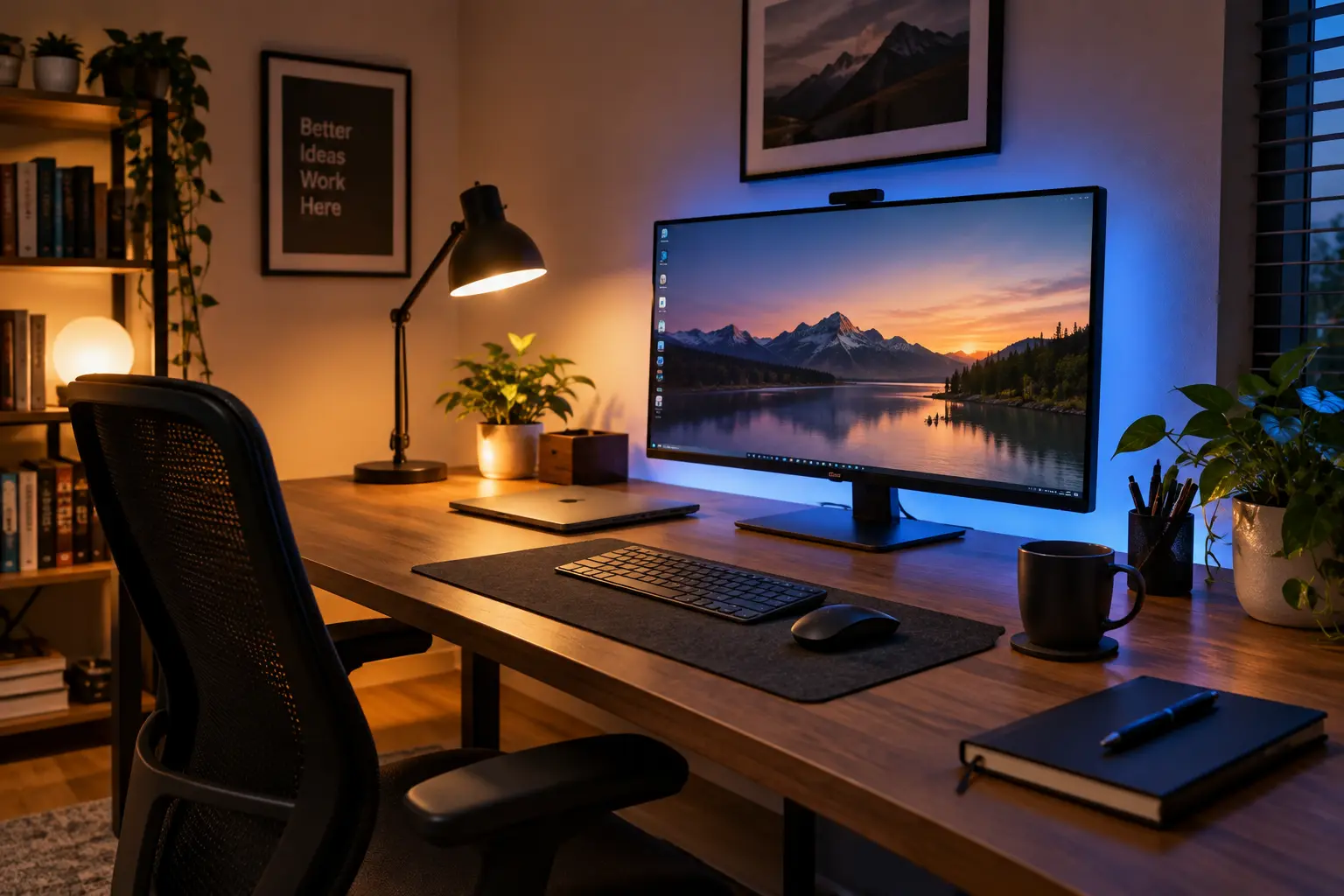
Lighting is one of the most underrated fixes here. A single overhead light doing all the work in a room tends to create harsh contrast and shadows that your eyes have to keep compensating for. A layered approach — some ambient light, a desk lamp, maybe a little supplemental lighting — tends to help a lot more than people expect.
- Get rid of screen glare — position your screen so it's not directly facing a window, and use an anti-glare filter if repositioning isn't an option
- Add a little light behind your monitor — a cheap light strip closes the contrast gap between a bright screen and a dark wall behind it, a bigger contributor to fatigue than people realize. If you're piecing your setup together on a budget, our guide to a home office setup on a budget covers cheap lighting and desk fixes like this one.
- Match your color temperature to the time of day — cooler light while actively working, warmer light once evening rolls around
Do Blue Light Glasses Actually Do Anything?
Honestly, the evidence is mixed, and the marketing around blue light glasses tends to oversell them. Blue light exposure from screens is real, but it's small compared to what you get from daylight — so the framing of "screens are flooding your eyes with harmful light" is a bit dramatic.
If you want to try the free version first, your operating system's built-in night mode does roughly the same job blue light glasses claim to do. If eye strain sticks around after you've fixed blinking, lighting, and screen position, glasses are a reasonable low-risk add-on — just not the first thing to reach for.
The Blinking Thing Nobody Really Talks About
This one gets skipped over constantly, but it might be the biggest factor of all. When you're deep in focus on a screen, your blink rate drops well below what your eyes actually need to stay properly lubricated — and that's a huge chunk of what "eye strain" actually is: dryness, not damage.
When It's Time to See an Eye Doctor
Most digital eye strain responds well to the changes above within a couple of weeks. If it doesn't — or if something feels genuinely off — it's worth getting checked rather than continuing to tweak your desk setup.
Frequently Asked Questions
Most of This Is Free — Start There
Digital eye strain is genuinely common, and it genuinely eats into how well you work — but most of what fixes it doesn't cost much.
Start with a better version of the 20-20-20 rule and some deliberate blinking. Fix your lighting so it's not one harsh overhead source. Match your screen brightness to the room around you.
If none of that clears things up after a few weeks, that's your cue to see an eye doctor instead of buying another gadget.
Add a Comment